How Google Search Works in 2026: Crawling, Indexing, Ranking & SEO Explained
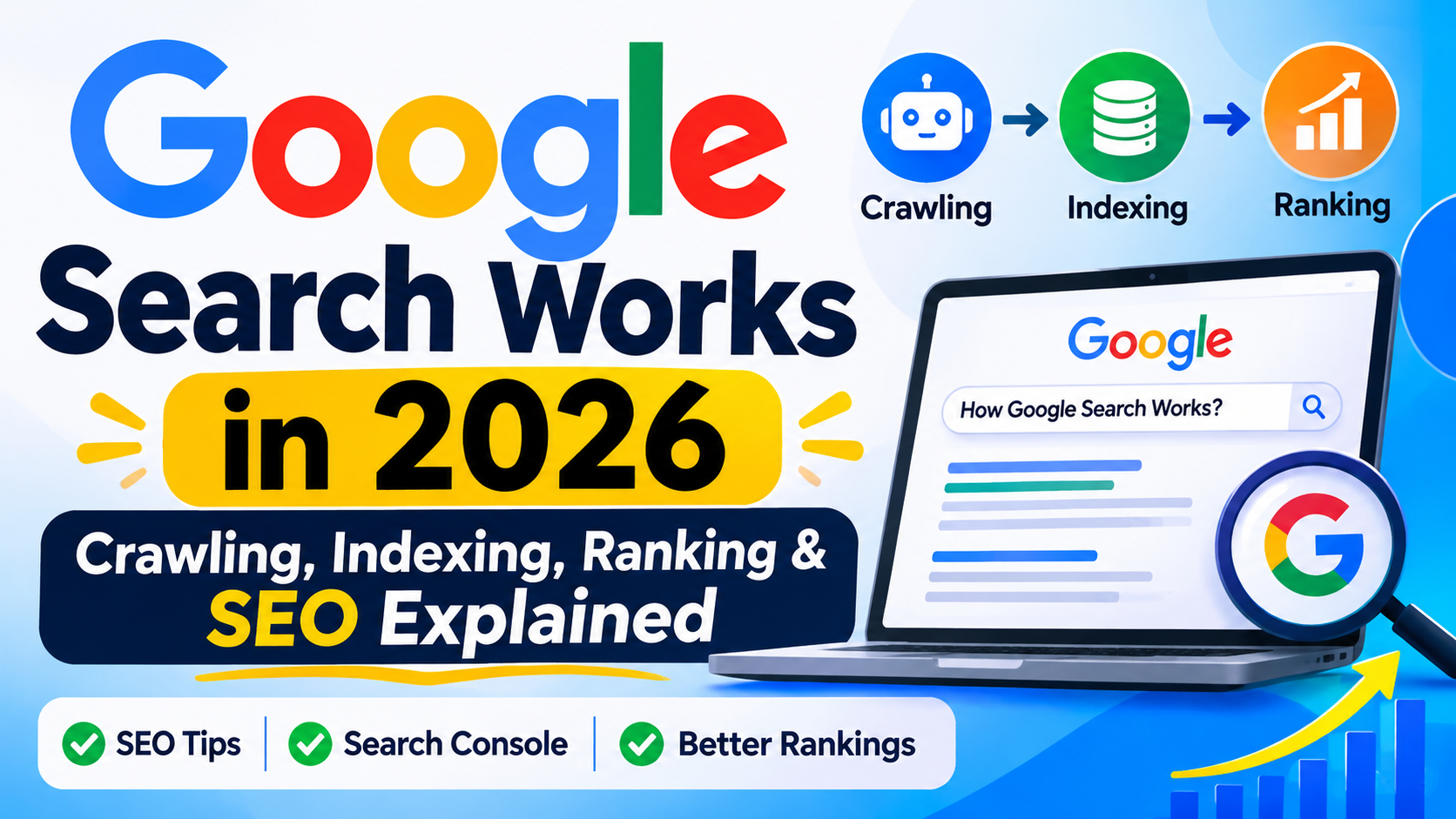
When you search for something on Google, millions of webpages may be relevant to your query. Yet Google displays a carefully organised set of results within seconds.
Have you ever wondered how Google discovers websites, understands their content, decides which pages should appear in search results, and determines their positions?
Google Search is not simply a database of websites. It uses automated crawlers, large-scale indexing systems and ranking systems to discover, organise and present information that may be useful to searchers.
Understanding this process is important for website owners, bloggers, content creators, SEO professionals and digital marketers. It helps explain why some pages appear in search results while others remain undiscovered, unindexed or difficult to find.
In this guide, you'll learn how Google Search works in 2026, including crawling, rendering, indexing, ranking, search intent, technical SEO, Core Web Vitals and practical Google Search Console techniques.
What Is Google Search?
Google Search is an automated search engine that helps people discover information across the internet.
When someone enters a query, Google searches its organised index of information and uses automated systems to identify results that are relevant and useful.
For example, if someone searches for:
How to create a website
Best SEO tools for beginners
How Google indexing works
How to improve website loading speed
Google attempts to understand what the person wants and provides results that can satisfy that need.
Google Search includes more than traditional blue links. Depending on the query, search results may contain images, videos, maps, featured snippets, product information, news and AI-powered search features.
Important: Google does not manually review and approve every webpage before it can appear in Search. Its automated systems discover and process most publicly accessible pages.
How Does Google Search Work?
Google Search primarily works through three main stages:
Crawling: Google discovers and accesses webpages.
Indexing: Google analyses and organises information from those pages.
Serving and ranking: Google selects and orders relevant results when someone searches.
Before indexing, Google may also need to render a webpage to understand content generated through JavaScript and other web technologies.
Here is a simplified representation:
Website publishes content → Google discovers URL → Googlebot crawls page → Google renders content → Google processes and indexes information → Search systems rank relevant results → User sees search results.
These stages are connected, but they are not the same thing. A page can be discovered without being crawled, crawled without being indexed, or indexed without receiving meaningful search traffic.
Let's understand each stage.
Stage 1: URL Discovery
Before Google can crawl a webpage, it needs to discover that the URL exists.
Google can discover URLs through several methods.
A. Internal links
Internal links connect one page of your website to another page on the same website.
For example, a blog post about website speed may link to another article about Core Web Vitals.
These connections help visitors navigate your website and help search engines discover related pages.
B. External links
External links from other websites can help Google discover your webpages.
For example, another website may link to your article, introducing Google to a URL it has not previously encountered.
C. XML sitemaps
An XML sitemap provides search engines with information about important URLs on your website.
It can be especially useful when a website has many pages or when new and updated content needs to be discovered.
However, submitting a sitemap does not guarantee that Google will crawl or index every URL included in it.
D. Redirects and other discovery signals
Google can also encounter URLs through redirects and previously discovered web addresses.
SEO takeaway: Make important pages accessible through useful internal links, maintain a valid sitemap and avoid leaving valuable content isolated from the rest of your website.
Stage 2: Crawling
Crawling is the process through which search engine crawlers access webpages to discover and collect information.
Google uses automated software called Googlebot for crawling.
Think of Googlebot as an automated visitor that follows accessible links and requests webpages from web servers.
How does Googlebot crawl a website?
A simplified process looks like this:
Google discovers a URL.
Googlebot determines whether it can access the URL.
It sends a request to the website's server.
The server responds with a status code and page content.
Google processes the available information and may schedule further processing.
What can prevent Googlebot from crawling a page?
Some common technical problems include:
Robots.txt rules blocking crawling.
Server errors such as HTTP 500.
DNS or connection problems.
Incorrect redirects.
Pages requiring authentication.
Network timeouts.
Temporary server unavailability.
What is robots.txt?
A robots.txt file provides instructions to crawlers about which paths they are allowed or disallowed to request.
For example:
User-agent: Googlebot
Disallow: /private/
This example asks Googlebot not to crawl URLs under the /private/ path.
Remember that robots.txt is not a reliable way to remove a URL from Google Search. A blocked URL may still be discovered through links and appear in results without its page content.
If you want to prevent a page from being indexed, use an appropriate indexing control, such as a noindex directive, while ensuring Google can crawl the page to see that directive.
Stage 3: Rendering
Modern websites often use JavaScript to display content, menus, interactive elements and other page features.
Because of this, accessing the initial HTML may not always reveal everything a visitor sees.
Google can render webpages to process content generated by JavaScript.
Why is rendering important?
Imagine that your website displays its main article only after JavaScript executes.
If Google cannot access or process the necessary resources, it may not understand the page as expected.
Common rendering problems include:
Important content loaded only after user interaction.
JavaScript errors.
Blocked CSS or JavaScript resources.
Content unavailable to crawlers.
Client-side navigation that does not expose crawlable links.
How can you improve rendering?
Make important content accessible in the page's rendered output.
Use crawlable HTML links.
Avoid hiding essential information behind interactions that crawlers cannot perform.
Check for JavaScript errors.
Test important URLs using Google's URL Inspection tool.
For most simple Blogger articles, the main content is already available in the HTML. However, testing becomes especially important when using custom themes, scripts or interactive features.
Stage 4: Indexing
Indexing is the process through which Google analyses and organises information collected from webpages.
Think of Google's index as an enormous digital library.
When Google processes a webpage, it may analyse:
Main page content.
Page title and headings.
Images and available image information.
Links to other webpages.
Language and page structure.
Canonical information.
Structured data.
Other relevant technical and content signals.
Google then decides whether the page should be included in its Search index.
What is an indexed page?
An indexed page is a URL that Google has included in its Search index and may consider eligible to appear in search results.
However, indexing does not guarantee that the page will appear for every relevant query or receive traffic.
What is canonicalization?
Websites sometimes have multiple URLs that display identical or very similar content.
For example:
https://example.com/article
https://www.example.com/article
Google may identify these as duplicate or equivalent versions and select one URL as the canonical version.
A canonical tag can communicate your preferred URL:
<link rel="canonical" href="https://example.com/article">
However, Google treats canonical annotations as signals, not absolute commands. It can select a different canonical URL based on its own assessment.
What is a noindex tag?
A noindex directive tells search engines that a page should not be included in search results.
Example:
<meta name="robots" content="noindex">
For Google to process this directive, it must be able to crawl the page and access the instruction.
Do not use noindex on important pages that you want to appear in search results.
Why Google Does Not Index Every Page
One of the most confusing experiences for website owners is discovering that a page has been crawled but is not indexed.
There are several possible reasons.
| Google Search Console status | What it generally means |
|---|---|
| Discovered – currently not indexed | Google knows the URL but has not indexed it yet |
| Crawled – currently not indexed | Google crawled the URL but did not include it in the index at that time |
| Duplicate without user-selected canonical | Google identified a duplicate URL and no preferred canonical was specified |
| Google chose different canonical | Google selected another URL as the canonical version |
| Excluded by noindex | Google found a noindex directive |
| Blocked by robots.txt | Crawling is blocked by robots.txt |
| Page with redirect | The URL redirects to another destination |
| Not found (404) | The requested URL returned a not-found response |
These statuses do not all indicate technical errors.
For example, feed URLs, duplicate parameter URLs and redirecting URLs may legitimately remain outside Google's index.

How can you investigate indexing problems?
Follow this process:
Open Google Search Console.
Select your website property.
Open the Page indexing report.
Select the indexing status you want to investigate.
Inspect a sample URL.
Open URL Inspection.
Check whether the URL can be crawled.
Review the user-declared canonical.
Review Google's selected canonical when available.
Check the actual page content and internal links.
Do not automatically change every URL marked as not indexed. First determine whether the URL should be indexed in the first place.
For a deeper practical walkthrough, read our Google Search Console Guide 2026.
Stage 5: Serving and Ranking Search Results
Once Google has information in its Search index, its automated systems can consider relevant indexed content when someone performs a search.
This is the stage most people associate with SEO.
For example, imagine someone searches:
"How to improve website loading speed?"
Google identifies potentially relevant pages and uses automated ranking systems to organise results based on the query and available signals.
The goal is to provide useful information that best satisfies the searcher's needs.
Does Google use only keywords to rank pages?
No.
Keywords help Google understand what a page is about, but search systems consider many other signals and systems.
A webpage containing the exact search keyword is not automatically better than another page that provides a clearer, more useful answer.
A good SEO strategy therefore focuses on relevance, usefulness, accuracy, accessibility and user needs rather than simply repeating keywords.
Important Google Ranking Considerations
Google uses multiple automated ranking systems. There is no single universal formula that website owners can follow to guarantee a first-page position.
Some important areas to understand include:
A. Relevance
Google attempts to understand the relationship between a search query and the content of a webpage.
Relevant information, descriptive titles and well-organised content help communicate the page's purpose.
B. Meaning and language understanding
Search systems use language understanding to interpret queries beyond exact keyword matches.
For example, searches such as "make my website faster" and "improve website loading speed" may express similar needs.
C. Content quality and usefulness
Useful content should answer the reader's question clearly and provide sufficient detail.
Strong content may include:
Original explanations.
Practical examples.
Accurate information.
Step-by-step instructions.
Relevant evidence.
Useful comparisons.
Clear limitations and recommendations.
D. Links and references
Links help Google discover pages and understand relationships between webpages.
Links from other websites can also contribute to Google's understanding of a page's relevance and importance.
However, buying links or creating manipulative link schemes can violate Google's spam policies.
E. Freshness
Some searches require recent information, while others do not.
For example, a query about the latest software release may need fresh information. A basic explanation of HTML may remain useful for years.
Updating a page simply to change its publication date does not automatically improve its rankings.
F. Spam detection
Google uses automated systems and spam policies to identify practices intended to manipulate search results.
Examples of prohibited or risky practices include:
Keyword stuffing.
Cloaking.
Sneaky redirects.
Link spam.
Scaled content abuse.
Automatically generated pages created primarily to manipulate rankings.
Misleading or deceptive content practices.
Important: Google does not publish a complete ranking formula. Anyone promising guaranteed rankings through a secret list of ranking factors should be approached carefully.
Understanding Search Intent
Search intent means the purpose behind a person's search query.
Understanding intent is essential because different searches require different types of content.
There are four commonly used categories of search intent.
1. Informational intent
The user wants to learn something.
Examples:
What is SEO?
How does Google Search work?
What is website indexing?
Best content formats: guides, tutorials, explanations and educational articles.
2. Navigational intent
The user wants to visit a specific website or page.
Examples:
Google Search Console login.
YouTube.
Canva login.
Best approach: make your brand and website pages easy to identify and navigate.
3. Commercial investigation
The user is researching options before making a purchase.
Examples:
Best SEO tools for beginners.
Ahrefs vs Semrush.
Best website hosting providers.
Best content formats: comparisons, reviews, feature breakdowns and buying guides.
4. Transactional intent
The user is ready to take an action or make a purchase.
Examples:
Buy website hosting.
Purchase an SEO tool.
Sign up for a premium design platform.
Best content formats: product pages, service pages, pricing pages and clear conversion-focused landing pages.
SEO tip: Match your page format to the searcher's intent. A product comparison should not read like a basic dictionary definition.
What Is E-E-A-T?
E-E-A-T stands for:
Experience
Expertise
Authoritativeness
Trustworthiness
Google uses these concepts within its guidance for evaluating helpful, reliable content.
They are particularly important when considering whether content demonstrates real knowledge, credibility and trust.
Experience
Does the content demonstrate first-hand experience?
For example, a review of an SEO tool becomes more useful when the author has actually tested its features and shared genuine observations.
Expertise
Does the author understand the subject?
Technical tutorials should explain concepts correctly and provide practical, accurate instructions.
Authoritativeness
Does the author or website have a recognised reputation or relevant expertise in the subject?
Useful resources, credible references and recognition from relevant sources can contribute to a site's reputation.
Trustworthiness
Can readers trust the information?
Provide accurate details, transparent disclosures, working links and clear information about who created the content.
Important clarification: E-E-A-T is not a single direct ranking factor or a score that you can increase through a plugin. It is a framework used in Google's quality guidance, and Google's automated systems use various signals to identify helpful and trustworthy information.
How Internal Links and Backlinks Help SEO
Links are important for both website navigation and search engine discovery.
There are two major types to understand.
Internal links
Internal links connect different pages on your own website.
For example, a guide about Google Search may link to your articles about:
Blogger SEO.
Google Search Console.
Core Web Vitals.
These links help readers explore related topics and help Google discover and understand relationships between your pages.
Use descriptive anchor text instead of generic phrases such as "click here."
For example:
Better: Read our Blogger SEO Guide 2026.
Less descriptive: Click here to read more.
Backlinks
Backlinks are links from external websites pointing to your website.
For example, if another relevant website references your tutorial and links to it, that creates a backlink.
Useful backlinks can help Google discover content and understand its relevance and reputation.
However, not all backlinks have equal value.
Focus on earning links through:
Original research.
Useful tutorials.
Free tools.
Industry resources.
Genuine collaborations.
Content worth referencing.
Avoid buying large quantities of links or participating in manipulative link schemes.
Core Web Vitals and Page Experience
Creating useful content is essential, but visitors also need a website that works well.
Core Web Vitals are a set of real-world metrics that measure loading performance, interactivity and visual stability.
Google currently identifies three Core Web Vitals:
| Metric | What it measures | Good target |
|---|---|---|
| LCP | Loading performance | 2.5 seconds or less |
| INP | Responsiveness | Less than 200 milliseconds |
| CLS | Visual stability | Less than 0.1 |
These targets are evaluated at the 75th percentile of page visits, separated by mobile and desktop experiences.
Largest Contentful Paint (LCP)
LCP measures how quickly the largest visible content element loads.
Possible improvements include:
Compressing large images.
Using modern image formats.
Improving server response time.
Reducing unnecessary scripts.
Optimising critical resources.
Interaction to Next Paint (INP)
INP measures how responsive a page is to user interactions.
Possible improvements include:
Reducing heavy JavaScript execution.
Avoiding unnecessary third-party scripts.
Improving event handling.
Reducing long main-thread tasks.
Cumulative Layout Shift (CLS)
CLS measures unexpected layout movement while a page loads.
Possible improvements include:
Specifying image dimensions.
Reserving space for advertisements.
Avoiding unexpected content insertion.
Using stable layouts.
To understand these metrics in detail, follow our Core Web Vitals Guide 2026.
Remember: Good Core Web Vitals support a better user experience, but passing these metrics does not guarantee higher rankings. They are part of a broader page experience picture.
Mobile-First Indexing
Most people access the internet using mobile devices, making mobile usability an important part of website development.
Google primarily uses the mobile version of a website's content for indexing and ranking. This approach is known as mobile-first indexing.
What should website owners check?
Main content is available on mobile.
Important text is not hidden.
Images display correctly.
Navigation works properly.
Links are accessible.
Pages do not overflow horizontally.
Important metadata is consistent.
Mobile visitors can use the website comfortably.
A website may look perfect on a desktop but still provide a poor experience on a smartphone.
Test your website on different screen sizes instead of relying only on a desktop preview.
Structured Data and Schema Markup
Structured data is a standardised way of describing information on a webpage so search engines can better understand its content.
Schema.org vocabulary is commonly used for this purpose.
Examples include:
Article
BlogPosting
Organization
Product
BreadcrumbList
LocalBusiness
Event
A simple BlogPosting structured data example:
<script type="application/ld+json">
{
  "@context": "https://schema.org",
  "@type": "BlogPosting",
  "headline": "How Google Search Works in 2026",
  "description": "Understand crawling, indexing and ranking in Google Search.",
  "author": {
    "@type": "Organization",
    "name": "Decode With Jai"
  },
  "publisher": {
    "@type": "Organization",
    "name": "Decode With Jai"
  }
}
</script>
This is an illustrative example. Replace the information with accurate details about the actual article, author and publisher before using it.
Does schema markup improve rankings?
Structured data helps search engines understand page information and may make eligible pages qualify for supported rich results.
However:
Valid schema does not guarantee rich results.
Rich results are not guaranteed to appear.
Adding more schema types does not automatically improve rankings.
Structured data must accurately represent visible page content.
Duplicate or misleading markup should be avoided.
Use Google's Rich Results Test to check eligible structured data and Search Console to monitor relevant reports.
How AI Is Changing the Search Experience
Search is evolving beyond traditional lists of webpages.
Google has introduced AI-powered search experiences, including AI Overviews and AI Mode, in supported markets and contexts.
These experiences can help users explore complex questions, understand information and discover relevant sources.
What does this mean for website owners?
The fundamentals of useful website content remain important.
Focus on:
Accurate and original information.
Clear explanations.
Well-structured articles.
Useful examples and evidence.
Accessible website content.
Descriptive headings.
Relevant internal and external references.
Do not assume that adding special AI keywords, creating an llms.txt file or using a particular schema guarantees visibility in AI-powered search experiences.
There is no universal shortcut that guarantees inclusion in AI-generated answers.
Is AI-generated content allowed?
AI-assisted content is not automatically against Google's guidelines.
The important consideration is whether the content is useful, accurate and created for people.
Using automation to mass-produce pages primarily to manipulate search rankings can violate Google's spam policies.
If AI tools help with research or drafting, review the content carefully, verify claims and add meaningful human expertise and original value.
How Google Search Console Helps Website Owners
Google Search Console is one of the most useful free tools for understanding how Google interacts with your website.
It helps website owners monitor search performance, indexing information, crawling issues and other search-related reports.
Important Search Console reports
1. Performance report
Shows information such as:
Total clicks.
Total impressions.
Average click-through rate.
Average position.
Queries.
Pages.
Countries.
Devices.
Use this report to identify which pages and search queries are attracting organic visibility.
2. Page indexing report
Shows which URLs are indexed and which are not, along with reasons for exclusion.
Use it to investigate whether important pages are eligible for indexing.
3. URL Inspection tool
Allows you to inspect individual URLs.
You can review:
Indexing status.
Last crawl information.
Crawl availability.
Indexing permissions.
User-declared canonical.
Google's selected canonical, when available.
You can also request indexing for eligible URLs.
4. Core Web Vitals report
Shows how groups of URLs perform against Core Web Vitals metrics using available field data.
5. Sitemaps report
Helps you monitor submitted XML sitemaps and their processing status.
How to use Search Console practically
Follow this simple workflow:
Verify your website property.
Check the sitemap report.
Review the Page indexing report.
Inspect important URLs.
Monitor search performance.
Identify pages with impressions but low CTR.
Improve content where genuine improvements are needed.
Monitor changes over time.
Do not treat every excluded URL as an error or request indexing repeatedly for the same URL.
How to Improve Your Website's Google Search Visibility
Now that you understand how Google Search works, let's turn the concepts into a practical SEO strategy.
Step 1: Build useful content
Create articles that solve real problems.
Before publishing, ask:
What question does this article answer?
Who is the intended reader?
Does the content provide enough detail?
Is the information accurate?
Does it offer something beyond a basic summary?
Step 2: Understand keyword intent
Research the language people use when searching for your topic.
Use relevant phrases naturally in:
Page titles.
Main headings.
Subheadings.
Introductions.
Image descriptions.
Relevant anchor text.
Avoid repeating keywords unnecessarily.
Step 3: Improve website structure
Organise your website into clear categories and topic clusters.
For example, an SEO website may have dedicated sections for:
Technical SEO.
On-page SEO.
Content SEO.
Keyword research.
Google Search Console.
Website performance.
Connect related articles using meaningful internal links.
Step 4: Improve technical SEO
Review important technical elements:
Crawlable URLs.
Correct canonical tags.
Appropriate robots directives.
Valid XML sitemap.
Working internal links.
Proper redirects.
Mobile accessibility.
Correct HTTP status codes.
Step 5: Improve page experience
Measure website performance using PageSpeed Insights and Search Console.
Optimise images, reduce unnecessary scripts and make the website easy to use on mobile devices.
Step 6: Build credibility
Provide transparent author information, accurate references and clear website policies.
Where relevant, explain how a product was tested or how a recommendation was reached.
Step 7: Monitor and improve
Use Search Console and analytics tools to identify opportunities.
For example:
Pages with high impressions but low CTR may need better titles and descriptions.
Pages with declining clicks may need updated information.
Pages with few internal links may need better site navigation.
Pages with poor engagement may need clearer explanations or improved usability.
Make changes based on evidence rather than changing everything at once.
Step 8: Be patient and evaluate results
SEO is a long-term process.
Google may take time to crawl, process and reflect changes. Some changes can appear relatively quickly, while others may take weeks or months.
There is no guaranteed indexing or ranking timeline.
Common Google Search and SEO Myths
Let's clear up some common misconceptions.
Myth 1: Submitting a sitemap guarantees indexing.
Reality: A sitemap helps Google discover URLs, but Google decides which pages to crawl and index.
Myth 2: Every crawled page gets indexed.
Reality: Google may crawl a page without including it in its index.
Myth 3: Using the exact keyword repeatedly improves rankings.
Reality: Keyword stuffing can harm content quality and may violate spam policies. Write naturally for readers.
Myth 4: Good Core Web Vitals guarantee first-page rankings.
Reality: Core Web Vitals are part of the broader page experience picture, not a ranking guarantee.
Myth 5: More backlinks always mean better rankings.
Reality: Manipulative link-building practices can violate Google's policies. Focus on relevant, genuine references.
Myth 6: Publishing more articles always increases traffic.
Reality: Publishing frequency alone does not guarantee growth. Content usefulness, relevance and quality matter.
Myth 7: Requesting indexing guarantees that Google will index a page.
Reality: A request can prompt Google to recrawl a URL, but it does not guarantee inclusion in Search.
Myth 8: Schema markup guarantees rich snippets.
Reality: Valid structured data makes a page eligible for supported rich results, but Google decides whether to display them.
Frequently Asked Questions
1. How does Google Search work step by step?
Google Search works through URL discovery, crawling, rendering, indexing and serving or ranking relevant results. These processes help Google discover webpages, understand their content and identify potentially useful results for search queries.
2. What are the three main stages of Google Search?
The three main stages are crawling, indexing and serving search results. Rendering may also be required to process content generated through JavaScript.
3. What is Googlebot?
Googlebot is Google's web crawler. It automatically accesses webpages to discover and collect information that may be processed for Google Search.
4. What is the difference between crawling and indexing?
Crawling means Googlebot accesses a webpage and collects information. Indexing means Google processes and organises that information for possible inclusion in its Search index.
5. Why is my website not appearing on Google?
Possible reasons include undiscovered URLs, crawling restrictions, noindex directives, duplicate content, canonical selection, technical errors or Google's decision not to index a particular page.
Use Google Search Console's Page indexing report and URL Inspection tool to investigate.
6. Does Google index every webpage?
No. Google does not guarantee that every discovered or crawled webpage will be indexed. It selects pages for its index based on its automated processes and systems.
7. How long does Google take to index a new article?
There is no fixed indexing timeline. It can take days or longer, depending on the page and Google's crawling and processing systems. Requesting indexing does not guarantee immediate inclusion.
8. Does SEO directly control Google rankings?
No. SEO helps make content accessible, understandable and useful for search engines and visitors. Google independently determines how eligible pages appear in its results.
9. Are backlinks still useful for SEO?
Links can help Google discover webpages and understand relationships between content. Genuine, relevant references can be valuable, but manipulative link schemes should be avoided.
10. Is Google Search Console free?
Yes. Google Search Console is a free service that helps website owners monitor and understand their website's performance in Google Search.
11. Do Core Web Vitals affect Google rankings?
Core Web Vitals measure real-world loading performance, responsiveness and visual stability. They are part of Google's broader page experience considerations, but good scores do not guarantee higher rankings.
12. Can AI-generated articles rank on Google?
AI-assisted content can appear in Google Search when it provides useful, reliable information. The focus should be on quality, accuracy and people-first value rather than mass-producing pages to manipulate rankings.
Conclusion: Understanding Google Search Is the Foundation of SEO
Google Search is a complex automated system that discovers webpages, crawls and processes their content, builds an index and uses ranking systems to present relevant information.
For website owners, understanding these stages makes SEO decisions much easier.
Instead of focusing only on keywords or backlinks, build a website that provides useful content, clear navigation, accessible pages, reliable information and a good user experience.
Use Google Search Console to understand how Google sees your website, investigate genuine technical problems and improve content based on real performance data.
Remember: successful SEO is not about finding a shortcut to manipulate Google. It is about building something genuinely useful that deserves to be discovered.
Keep learning, keep testing and keep improving.
Official Google Resources
The following official resources provide further information about Google Search and SEO:
Editorial note: This guide explains Google's publicly documented Search processes and SEO guidance. Google can change its systems over time, and no SEO technique guarantees crawling, indexing or rankings.