Blogger SEO Guide 2026: Complete SEO Strategy to Rank a Blogger Website on Google
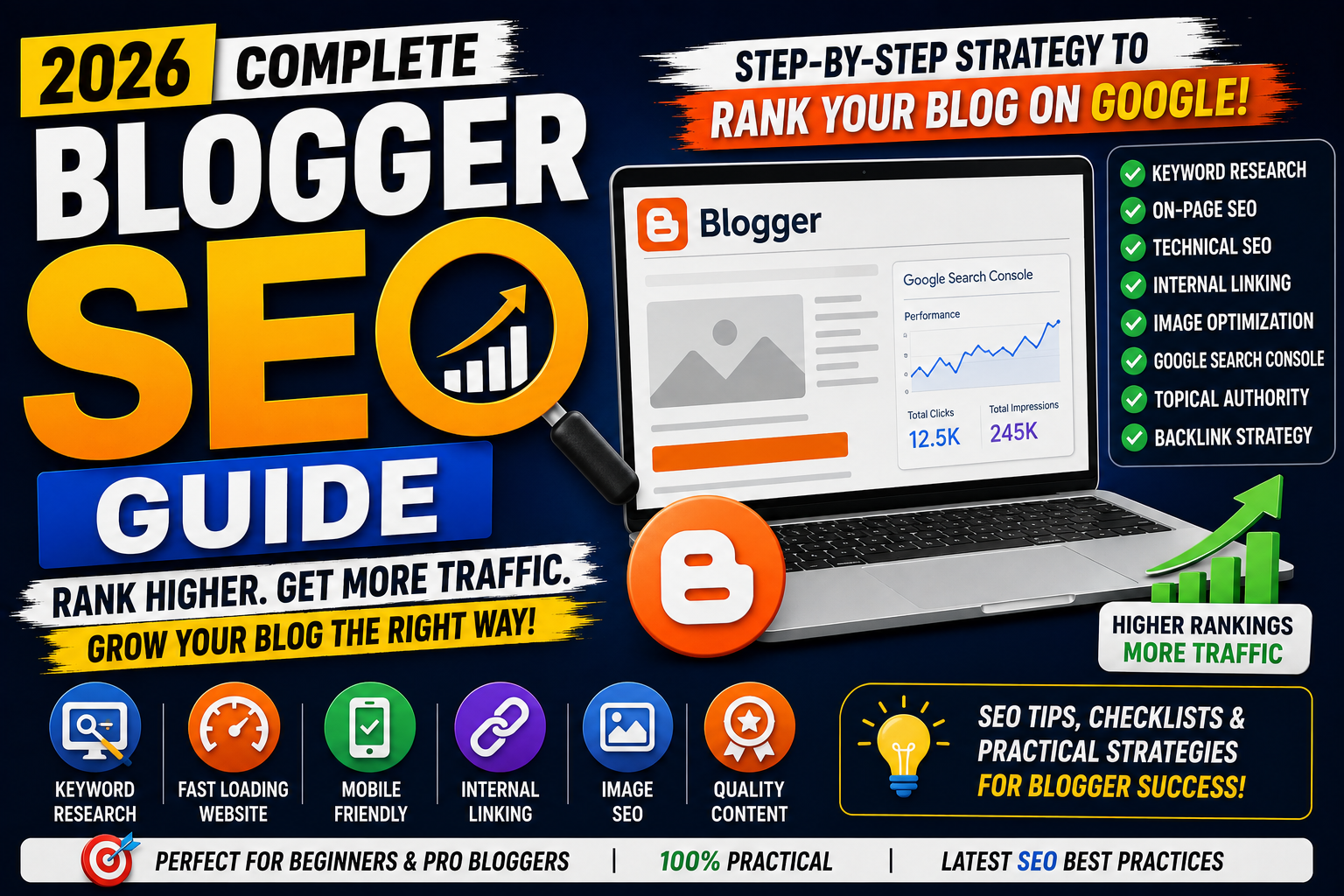
Blogger is one of the easiest platforms for starting a blog. It is free, simple to manage, and connected to Google's ecosystem.
However, creating a Blogger website does not automatically mean your blog will rank on Google.
Many bloggers publish hundreds of articles but still struggle to generate organic traffic because their website lacks proper SEO structure, keyword strategy, internal linking, technical optimization, and content planning.
The good news is that Blogger websites can rank on Google.
You do not necessarily need expensive hosting, premium SEO plugins, or complicated tools to start building organic visibility.
You need a strong SEO strategy.
In this complete Blogger SEO guide, you'll learn how to optimize your Blogger website for Google, improve technical SEO, write SEO-friendly blog posts, create a better site structure, use Google Search Console, optimize images, build internal links, and develop topical authority.
Whether you're starting a new Blogger website or trying to improve an existing blog, this guide will help you build a stronger SEO foundation.
What is Blogger SEO?
Blogger SEO is the process of optimizing a Blogger website and its content to improve visibility in search engine results.
The goal is to help search engines:
Discover your blog
Crawl your pages
Understand your content
Index important URLs
Connect related topics
Rank useful pages for relevant searches
Blogger SEO includes:
Keyword research
On-page SEO
Technical SEO
Internal linking
Image optimization
Site structure
Content optimization
Search Console monitoring
Link building
SEO is not one setting inside Blogger.
It is a complete strategy.
Can Blogger Websites Rank on Google?
Yes.
A Blogger website can rank on Google if it publishes helpful content and follows strong SEO practices.
The platform itself does not guarantee rankings, and using Blogger does not automatically prevent a website from ranking.
Google evaluates webpages based on many signals related to relevance, content quality, usability, crawlability, and overall search experience.
A Blogger website still needs:
Helpful content
Search intent alignment
Clear site structure
Internal links
Mobile usability
Fast loading pages
Proper indexing
Trust signals
The CMS is only one part of the website.
Your SEO strategy matters more.
Blogger vs WordPress for SEO
| Feature | Blogger | WordPress |
|---|---|---|
| Hosting | Free | Usually Paid |
| Technical Setup | Simple | More Flexible |
| SEO Plugins | Limited | Rank Math, Yoast, etc. |
| Customization | Moderate | High |
| Server Management | Not Required | Depends on Hosting |
| Beginner Friendly | Excellent | Good |
| Advanced SEO Control | Limited | Strong |
| Maintenance | Low | Moderate |
| Cost | Free | Varies |
WordPress offers more SEO flexibility.
However, Blogger can still be a strong platform for content-focused websites.
For beginners or publishers who want a simple infrastructure, Blogger can be a practical option.
Use a Custom Domain
A custom domain makes your website look more professional.
Default Blogger URL:
example.blogspot.com
Custom domain:
example.com
Benefits of a custom domain include:
Stronger branding
Easier domain recognition
Professional appearance
Better marketing opportunities
Greater control over your online identity
Choose a short and memorable domain related to your brand.
Enable HTTPS
HTTPS protects the connection between your website and visitors.
In Blogger, check:
Settings → HTTPS
Enable:
HTTPS Availability
HTTPS Redirect
Visitors should automatically reach the secure HTTPS version of your website.
Example:
https://example.com
Avoid maintaining separate HTTP and HTTPS versions.
Add Your Blogger Website to Google Search Console
Google Search Console is one of the most important tools for Blogger SEO.
It helps you monitor:
Search clicks
Impressions
Average position
Search queries
Indexing
Crawling issues
Core Web Vitals
Page experience
Add your website to Google Search Console and verify ownership.
For a custom domain, using a Domain property can provide broader domain-level coverage.
Submit Your Blogger Sitemap
A sitemap helps search engines discover website URLs.
Common Blogger sitemap URLs can include:
/sitemap.xml
For example:
https://example.com/sitemap.xml
Submit the sitemap through Google Search Console.
Go to:
Google Search Console → Sitemaps
Enter:
sitemap.xml
Then submit it.
Check the sitemap status regularly.
Understand Blogger Robots.txt
Robots.txt provides crawling instructions to search engine crawlers.
Blogger provides robots settings, but you should be careful when modifying them.
An incorrect robots.txt configuration can prevent important pages from being crawled.
Before adding custom robots.txt rules, understand exactly what each directive does.
Avoid blindly copying robots.txt code from random tutorials.
Use Custom Robots Header Tags Carefully
Blogger includes custom robots header tag settings.
These settings can influence how search engines treat certain page types.
Before changing them, understand:
index
noindex
follow
nofollow
noarchive
nosnippet
Do not apply noindex to important blog posts or pages by mistake.
For most beginners, unnecessary technical changes should be avoided unless there is a clear SEO reason.
Choose an SEO-Friendly Blogger Theme
Your Blogger theme affects:
Website speed
Mobile experience
Navigation
Core Web Vitals
Content readability
Internal linking opportunities
Choose a theme that is:
Responsive
Lightweight
Fast
Mobile-friendly
Easy to navigate
Cleanly coded
Avoid themes overloaded with:
Unnecessary animations
Heavy JavaScript
Multiple font libraries
Large image sliders
Excessive widgets
A visually impressive theme is not always an SEO-friendly theme.
Improve Blogger Website Speed
Website speed directly affects user experience.
Improve Blogger performance by:
Compressing images
Using WebP or AVIF
Removing unnecessary widgets
Reducing third-party scripts
Limiting external fonts
Optimizing JavaScript
Using lazy loading
Avoiding excessive ads
Test your website using Google PageSpeed Insights and Lighthouse.
Focus on real performance issues instead of chasing a perfect score without understanding the user impact.
Optimize Blogger for Mobile
Your Blogger website should work properly on:
Smartphones
Tablets
Laptops
Desktop computers
Check:
Text readability
Image responsiveness
Navigation
Buttons
Tables
Code blocks
Popups
Sidebar behavior
Avoid fixed-width elements that overflow on mobile screens.
For example:
img {
  max-width: 100%;
  height: auto;
}
This simple CSS rule can help images adapt to available space.
Perform Keyword Research Before Writing
Do not publish random articles without understanding search demand and user intent.
Before writing, research:
Primary keyword
Related keywords
Search intent
Questions users ask
Competitor content
Topic opportunities
Useful tools include:
Google Search
Google Trends
Google Keyword Planner
Google Search Console
Ahrefs
Semrush
For a new Blogger website, long-tail keywords can often provide more focused content opportunities.
Example:
Broad keyword:
SEO
Long-tail keyword:
how to optimize Blogger website for SEO
Understand Search Intent
Search intent describes what a user wants when entering a query.
The four common intent categories are:
Informational
Example:
What is Blogger SEO?
The user wants information.
Navigational
The user wants a specific website or page.
Commercial
Example:
Blogger vs WordPress for SEO
The user is comparing options.
Transactional
The user is ready to perform an action or purchase.
Match your content format with the user's intent.
Write SEO-Friendly Blog Titles
Your blog title should clearly describe the article.
Bad title:
My SEO Thoughts
Better title:
Blogger SEO Guide (2026): Complete Strategy to Rank on Google
A strong title should:
Describe the topic
Include the primary keyword naturally
Match search intent
Encourage relevant clicks
Avoid misleading clickbait.
Optimize Blogger Search Descriptions
Blogger allows you to add a search description to posts.
A search description works as a page-level meta description signal.
Write a clear summary of the article.
Example:
Learn Blogger SEO with this complete guide covering keywords, Search Console, technical SEO, internal linking, images, and content optimization.
Keep the description natural and relevant.
Use Proper Heading Structure
A clear heading hierarchy improves readability.
Recommended structure:
H1
 ↓
H2
 ↓
H3
The article title generally acts as the main heading.
Use H2 headings for major sections and H3 headings for subsections.
Avoid randomly using headings only to change text size.
Optimize Blogger Post URLs
Blogger allows you to create a custom permalink.
Bad URL:
/2026/07/post123.html
Better URL:
/2026/07/blogger-seo-guide.html
Keep URLs:
Short
Descriptive
Readable
Relevant to the topic
Avoid unnecessary words.
Write Helpful and Original Content
SEO content should solve the user's problem.
Avoid publishing articles only to increase your post count.
Strong content should:
Answer the main question
Explain important concepts
Provide practical steps
Use examples
Be easy to scan
Add original value
Be reviewed for accuracy
Content length alone does not guarantee rankings.
A 1,500-word article that completely answers a query can be more useful than a repetitive 5,000-word article.
Avoid Publishing Unreviewed AI Content
AI tools can help with:
Research planning
Outlines
Grammar
Content ideas
Drafting assistance
However, publishing AI-generated content without review can create problems.
Always:
Fact-check claims
Remove repetition
Add personal experience
Verify examples
Improve readability
Update outdated information
AI should support your content workflow, not replace editorial responsibility.
Build Topical Authority
Topical authority means covering a subject comprehensively through connected content.
For example, an SEO blog can publish:
What is SEO?
On-Page SEO Guide
Technical SEO Guide
Keyword Research Guide
Internal Linking Strategy
Image SEO Guide
Local SEO Guide
Blogger SEO Guide
Common SEO Mistakes
These articles form an SEO topic cluster.
Publishing random unrelated topics makes it harder to build a clear content identity.
Create Pillar Pages and Topic Clusters
A pillar page covers a broad topic.
Example:
Complete SEO Guide
Supporting articles cover specific subtopics.
Examples:
Keyword Research Guide
Image SEO Guide
Technical SEO Guide
Local SEO Guide
Internal Linking Guide
Connect these articles using internal links.
This creates a logical content structure.
Use Internal Linking
Internal linking is extremely important for Blogger websites.
Internal links help:
Users discover related articles
Search engines discover pages
Build content relationships
Reduce orphan pages
Improve navigation
Example:
In your Blogger SEO article, you can naturally link to an Internal Linking Strategy Guide when discussing internal links.
Use descriptive anchor text.
Bad anchor:
Click here
Better anchor:
complete internal linking strategy
Fix Orphan Blog Posts
An orphan page has no meaningful internal links pointing to it.
Older Blogger posts can easily become orphan pages.
Review your published articles and connect them with relevant newer content.
Every important article should be discoverable through:
Navigation
Category pages
Related content
Internal links
Optimize Blogger Labels
Blogger uses labels to organize content.
Examples:
AI
SEO
Web Development
Digital Marketing
Google Ads
Use labels consistently.
Avoid creating unnecessary labels for every small keyword variation.
Bad:
SEO
SEO Tips
SEO Guide
SEO Tricks
Search SEO
Better:
SEO
A clean label structure improves website organization.
Optimize Images for Blogger SEO
Images can significantly affect website speed.
Before uploading images:
Resize them
Compress them
Use WebP when practical
Use descriptive filenames
Add ALT text
Keep images relevant
Bad filename:
IMG_4827.png
Better filename:
blogger-seo-guide-2026.webp
Example ALT text:
Blogger SEO dashboard showing search optimization and Google ranking strategy.
Do not stuff keywords into ALT text.
Use External Image Hosting Carefully
Some Blogger publishers use external image hosting or CDNs.
Potential benefits include:
Better image delivery
Image transformations
Format optimization
Reduced manual compression work
Services such as Cloudinary can provide image optimization features.
However, make sure:
Images remain accessible
URLs are stable
HTTPS is used
The service is reliable
Images are not blocked from crawling
Do not depend on random temporary image URLs.
Add Structured Data to Blogger
Structured data helps search engines understand webpage content.
Useful schema types for blogs can include:
Article
BlogPosting
BreadcrumbList
Organization
Person
Your Blogger theme may already include some structured data.
Before manually adding schema, test existing markup.
Use Google's Rich Results Test and Schema Markup Validator.
Avoid adding duplicate or inaccurate schema.
Add Author Information
Author information improves transparency.
Your author section can include:
Author name
Profile image
Short bio
Expertise
Social profiles
For example:
Jai Jain writes about AI, SEO, web development, and digital marketing, sharing practical guides and technology insights.
Only claim experience and qualifications that are accurate.
Create Important Website Pages
A professional Blogger publication should have important trust pages.
Consider creating:
About Us
Contact Us
Privacy Policy
Disclaimer
Terms and Conditions
Depending on your website and business model, additional legal or disclosure pages may be necessary.
Keep policies accurate for your actual website practices.
Connect Google Analytics 4
Google Analytics 4 helps you understand user behavior.
Track:
Users
Sessions
Page views
Engagement
Traffic sources
Landing pages
Events
Do not confuse GA4 event count with total website visitors.
One visitor can trigger multiple events.
Use the appropriate metric for each analysis.
Use Google Search Console Data
Search Console can help you find content opportunities.
Review:
Queries
Pages
Countries
Devices
Clicks
Impressions
CTR
Average position
For example:
If an article receives many impressions but has a low CTR, review:
Title
Search intent
Content relevance
If a page ranks between positions 8 and 20, consider improving the content and internal links.
Request Indexing When Appropriate
After publishing an important article, you can inspect the URL in Google Search Console.
If the page is not indexed, you may request indexing.
Do not repeatedly request indexing every few hours.
Google still decides when and whether to crawl and index a URL.
Update Old Blogger Posts
Old content should not always be forgotten.
Review older articles and update:
Outdated information
Broken links
Screenshots
Tools
Statistics
Internal links
Titles when appropriate
You can also add links from old articles to newly published related content.
This helps strengthen your topic cluster.
Build Backlinks Naturally
Backlinks can help search engines and users discover useful content and can support authority.
Ways to earn backlinks include:
Original research
Detailed tutorials
Free tools
Templates
Statistics pages
Industry insights
Expert contributions
Digital PR
Avoid buying large numbers of low-quality backlinks.
Quality and relevance matter.
Promote Blogger Posts on Social Platforms
Content distribution can help more people discover your articles.
Depending on your audience, you can use:
LinkedIn
X
Pinterest
YouTube
Medium
Quora
Reddit
Do not simply spam your blog URL everywhere.
Share useful insights from the article and link to the complete guide when relevant.
Blogger SEO Checklist
Before publishing a Blogger article, check:
✅ Primary keyword selected
✅ Search intent understood
✅ SEO-friendly title
✅ Search description added
✅ Custom permalink created
✅ Proper heading structure
✅ Helpful original content
✅ Internal links added
✅ Relevant external sources checked
✅ Images compressed
✅ ALT text added
✅ Mobile layout tested
✅ Article reviewed
✅ Search Console monitoring planned
Common Blogger SEO Mistakes
Avoid these mistakes:
Publishing random topics
Ignoring search intent
Using default post URLs
Missing search descriptions
Poor heading structure
No internal links
Large image files
Keyword stuffing
Too many Blogger labels
Heavy themes
Excessive widgets
Incorrect robots settings
Publishing unreviewed AI content
Ignoring Search Console
Never updating old posts
Blogger SEO Strategy for 2026
A practical Blogger SEO workflow looks like this:
Select a focused website niche.
Build a clear topic structure.
Research keywords and search intent.
Create pillar content.
Publish supporting articles.
Optimize titles and URLs.
Add internal links.
Optimize every important image.
Monitor Search Console.
Improve posts receiving impressions.
Update older content.
Build relevant authority and backlinks.
Consistency matters, but quality control matters too.
Publishing four weak articles every day is not automatically better than publishing fewer strong articles that completely satisfy search intent.
Create a workflow you can maintain long term.
Final Thoughts
Blogger can be a powerful publishing platform when combined with a strong SEO strategy.
You do not need to immediately move to expensive hosting or install dozens of SEO plugins to start building organic visibility.
Focus on what matters:
Helpful content.
Search intent.
Topic clusters.
Internal linking.
Website speed.
Image optimization.
Technical accessibility.
Search Console data.
Continuous improvement.
The biggest Blogger SEO mistake is assuming that publishing more articles automatically means more Google traffic.
Build every article as part of a larger content strategy.
When your website becomes easier for users to navigate and your content consistently solves real search queries, you create a stronger foundation for long-term organic growth.
Frequently Asked Questions
1. Is Blogger good for SEO?
Blogger can be used for SEO and can rank in Google Search. However, it provides less advanced SEO flexibility than some other content management systems.
2. Can a free Blogspot website rank on Google?
Yes. A Blogspot website can appear in Google Search if its pages are crawlable, indexable, relevant, and helpful.
3. Do I need Rank Math for Blogger?
No. Rank Math is a WordPress SEO plugin and is not required for Blogger. Blogger SEO can be managed through content optimization, theme configuration, Search Console, structured data, and technical improvements.
4. How many blogs should I publish daily?
There is no universal number. Publish at a frequency where you can maintain content quality, accuracy, and a strong internal linking structure.
5. How long does Blogger SEO take?
SEO results vary depending on competition, website history, content quality, search demand, and many other factors. Organic growth usually requires consistent long-term work.
6. Should I use a custom domain on Blogger?
A custom domain is recommended for professional branding and long-term website identity, although Blogspot URLs can also appear in search results.
7. Can AI-written Blogger posts rank?
Content created with AI assistance may rank if it is helpful, accurate, original, and created for users. Always review and improve AI-assisted content before publishing.