ChatGPT vs Claude vs Gemini for Web Development: Which One Should You Use?
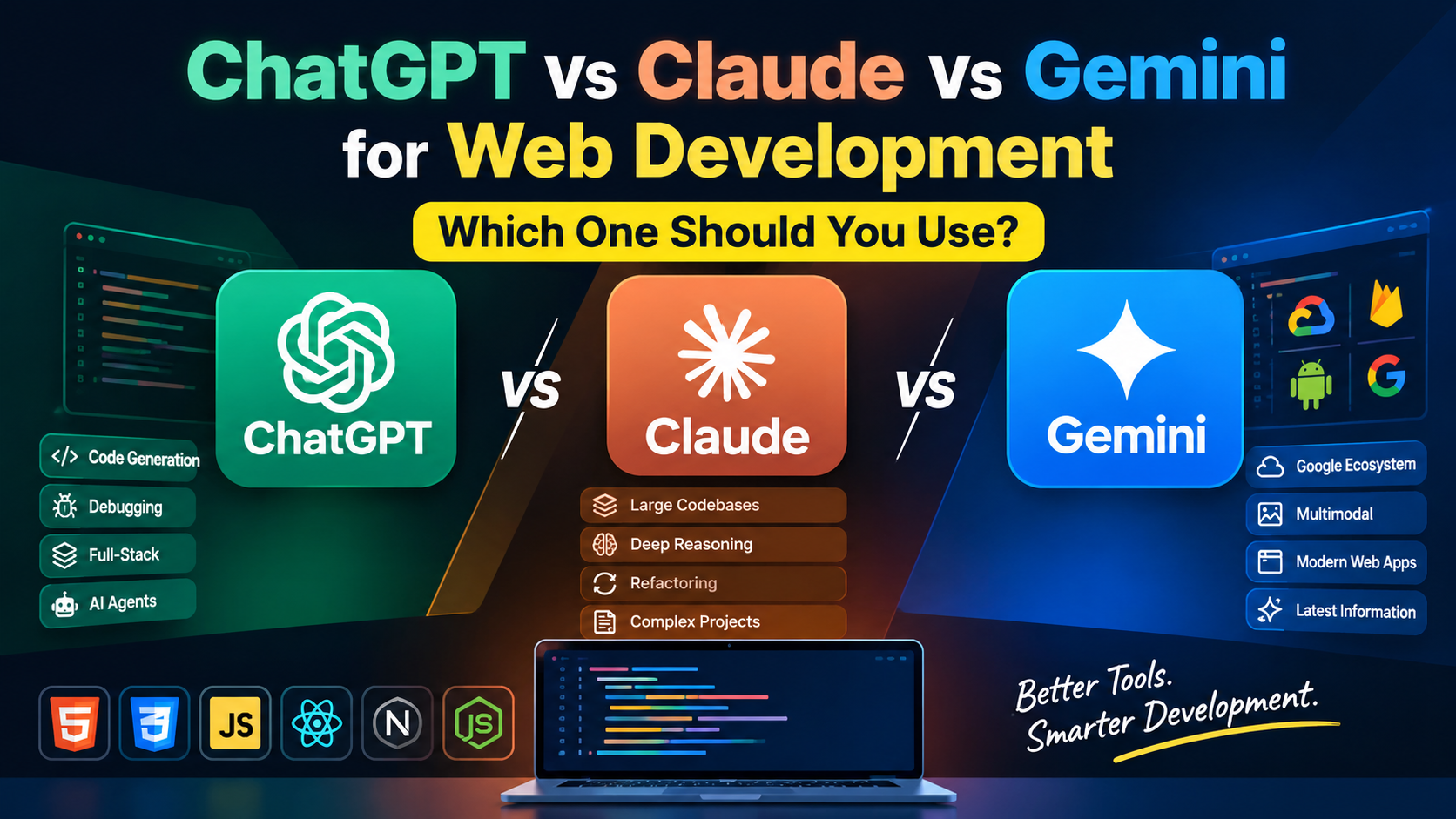
ChatGPT vs Claude vs Gemini for Web Development: Which One Is Best?
AI has completely changed the way developers build websites and web applications.
A few years ago, developers primarily used AI tools to generate small code snippets or explain programming errors. Today, AI assistants can help with HTML, CSS, JavaScript, React, Next.js, PHP, Python, APIs, databases, debugging, testing, documentation, and even large-scale software development workflows.
Three names dominate the conversation:
ChatGPT
Claude
Google Gemini
But which one is actually the best AI for web development?
The answer isn't as simple as choosing a single winner.
Each AI tool has different strengths. ChatGPT is strong as an all-round development assistant and now includes dedicated agentic coding workflows through Codex. Claude is particularly useful for working through complex code and large context-heavy tasks. Gemini is especially attractive for developers working heavily with Google's ecosystem and multimodal workflows.
So, in this guide, we'll compare ChatGPT vs Claude vs Gemini for web development and determine which AI tool makes the most sense for different types of developers.
Quick Answer: ChatGPT vs Claude vs Gemini
If you don't want to read the entire comparison, here's the short version:
| AI Tool | Best For | Overall Use |
|---|---|---|
| ChatGPT | Full-stack development, debugging, planning, coding agents | ⭐⭐⭐⭐⭐ |
| Claude | Large codebases, complex reasoning, refactoring | ⭐⭐⭐⭐⭐ |
| Gemini | Google ecosystem, multimodal development, current information | ⭐⭐⭐⭐½ |
Our quick recommendation
Choose ChatGPT if you want an all-round AI development partner.
Choose Claude if your work involves large codebases, complex refactoring, or deep code reasoning.
Choose Gemini if you're heavily invested in Google technologies such as Firebase, Google Cloud, Android, or Google's developer ecosystem.
For many developers, however, using two AI tools together can be more useful than trying to find one permanent winner.
What Makes an AI Tool Good for Web Development?
Before comparing ChatGPT, Claude and Gemini, it's important to understand what actually matters when choosing an AI coding assistant.
A good AI development tool should be able to help with:
1. Code Generation
Can it generate clean and functional:
HTML?
CSS?
JavaScript?
React?
Next.js?
PHP?
Python?
API integrations?
Code generation is only the beginning, though.
2. Debugging
Real-world development involves bugs.
A useful AI assistant should be able to:
Understand error messages
Find bugs
Explain why something isn't working
Suggest fixes
Improve existing code
Identify edge cases
3. Understanding Existing Code
Generating a new website is relatively easy.
Understanding a large existing project is much harder.
For professional development, the AI should be able to understand relationships between:
HTML
 ↓
CSS
 ↓
JavaScript
 ↓
API
 ↓
Backend
 ↓
Database
The better the AI understands the entire system, the more useful it becomes.
4. Refactoring
Good developers don't just write code.
They also improve existing code.
An AI assistant should be able to transform:
messy code
     ↓
clean structure
     ↓
better performance
     ↓
better maintainability
5. Agentic Coding
The next generation of AI coding isn't just:
"Give me the code."
Instead, developers can increasingly give an AI an objective such as:
"Find the bug, fix it, test the solution and prepare the changes."
OpenAI's Codex is specifically designed around this type of workflow, supporting tasks such as feature development, complex refactoring, migrations, testing and code review.
ChatGPT for Web Development
ChatGPT is probably the most recognizable AI assistant for developers.
But its role has evolved significantly beyond simply answering programming questions.
OpenAI currently positions ChatGPT alongside Codex for software engineering workflows, while Codex can operate across environments such as IDEs, terminals and cloud-based development workflows.
Where ChatGPT Performs Well
ChatGPT is particularly useful for:
HTML and CSS
JavaScript
React
Next.js
Python
PHP
APIs
SQL
WordPress
SEO implementations
Technical documentation
Debugging
Architecture planning
Code reviews
Feature development
One of its biggest advantages is versatility.
You can go from:
"Create a responsive navbar."
to:
"Explain why this React component is causing unnecessary renders."
to:
"Design the architecture for a SaaS dashboard."
without changing tools.
ChatGPT for Frontend Development
For frontend developers, ChatGPT can help create:
Responsive layouts
Landing pages
Navigation systems
Dashboards
Forms
Animations
Interactive components
React applications
Tailwind CSS interfaces
JavaScript functionality
It's also useful when you already have a design and need to translate the concept into code.
ChatGPT for Debugging
One of ChatGPT's biggest strengths is interactive debugging.
Instead of simply asking:
"Fix this code."
you can provide:
The code
The error
Expected behavior
Actual behavior
Browser/Node.js environment
Then ask the AI to diagnose the problem.
This produces much better results than asking for a generic fix.
ChatGPT and AI Coding Agents
The biggest change for developers is the rise of Codex.
OpenAI describes Codex as an AI coding agent capable of handling tasks from routine fixes to complex refactoring, migrations and other end-to-end engineering work.
That changes the workflow from:
Developer → asks AI → copies code → tests manually
toward:
Developer → defines task → AI works through repository → tests/reviews → developer approves
That is a major shift in how AI-assisted development works.
Claude for Web Development
Claude, developed by Anthropic, has become particularly popular among developers who work with large amounts of code.
Its biggest advantage is often its ability to reason through long, complex pieces of context.
Instead of giving the AI one function, developers can provide substantial portions of a project and ask it to understand how everything fits together.
Where Claude Performs Well
Claude is particularly useful for:
Complex debugging
Large codebases
Refactoring
Architecture discussions
Code reviews
Documentation
Backend development
Multi-file projects
Understanding unfamiliar code
For example, imagine inheriting a project containing:
/components
/pages
/api
/database
/utils
/hooks
/services
Instead of looking at one file at a time, a context-heavy AI workflow can help reason about how those pieces interact.
Claude for Code Refactoring
Claude is particularly attractive when your existing code works but has become difficult to maintain.
For example:
Old project
     ↓
Repeated functions
     ↓
Poor naming
     ↓
Unused code
     ↓
Slow components
     ↓
Hard-to-maintain structure
You can ask Claude to analyze the architecture and propose a cleaner structure.
This makes it useful for developers working on mature projects rather than only creating new ones.
Claude Code
Anthropic's Claude Code extends Claude into an agentic development workflow.
Instead of simply generating snippets, developers can use it to work directly with projects and development environments.
This makes Claude particularly interesting for developers who prefer a terminal-first or repository-focused workflow.
Gemini for Web Development
Google Gemini is Google's AI ecosystem for developers and users.
Its biggest advantage isn't necessarily that it always produces better code than ChatGPT or Claude.
Instead, Gemini becomes particularly interesting when your development workflow is connected to Google technologies.
Examples include:
Google Cloud
Firebase
Android
Google APIs
BigQuery
Google AI services
Gemini for Frontend Development
Gemini can generate:
HTML
CSS
JavaScript
React
UI components
Web applications
API integrations
For standard frontend tasks, it can be highly capable.
Its multimodal capabilities can also be useful when working from screenshots, diagrams or other visual references.
Gemini for Google-Based Projects
If your application uses:
Frontend
   ↓
Firebase
   ↓
Google Cloud
   ↓
Google APIs
Gemini becomes a very natural option.
Developers working deeply inside Google's ecosystem may benefit from using Google's AI tooling because their development stack and AI ecosystem are closely connected.
ChatGPT vs Claude vs Gemini: Coding Comparison
Let's compare the three tools across common web-development tasks.
| Development Task | ChatGPT | Claude | Gemini |
|---|---|---|---|
| HTML/CSS | ⭐⭐⭐⭐⭐ | ⭐⭐⭐⭐⭐ | ⭐⭐⭐⭐⭐ |
| JavaScript | ⭐⭐⭐⭐⭐ | ⭐⭐⭐⭐⭐ | ⭐⭐⭐⭐½ |
| React | ⭐⭐⭐⭐⭐ | ⭐⭐⭐⭐⭐ | ⭐⭐⭐⭐½ |
| Debugging | ⭐⭐⭐⭐⭐ | ⭐⭐⭐⭐⭐ | ⭐⭐⭐⭐ |
| Large Codebases | ⭐⭐⭐⭐⭐ | ⭐⭐⭐⭐⭐ | ⭐⭐⭐⭐⭐ |
| Refactoring | ⭐⭐⭐⭐⭐ | ⭐⭐⭐⭐⭐ | ⭐⭐⭐⭐ |
| Architecture | ⭐⭐⭐⭐⭐ | ⭐⭐⭐⭐⭐ | ⭐⭐⭐⭐½ |
| Documentation | ⭐⭐⭐⭐⭐ | ⭐⭐⭐⭐⭐ | ⭐⭐⭐⭐½ |
| Google Ecosystem | ⭐⭐⭐⭐ | ⭐⭐⭐⭐ | ⭐⭐⭐⭐⭐ |
| AI Coding Agents | ⭐⭐⭐⭐⭐ | ⭐⭐⭐⭐⭐ | ⭐⭐⭐⭐ |
| Beginner Friendly | ⭐⭐⭐⭐⭐ | ⭐⭐⭐⭐½ | ⭐⭐⭐⭐⭐ |
Important: These ratings are practical editorial judgments rather than standardized benchmark scores. AI models and product features change quickly, so the exact ranking can change over time.
Which AI Is Best for HTML and CSS?
For basic HTML and CSS development, all three are extremely capable.
You can ask any of them to create:
Landing pages
Portfolio websites
Pricing sections
Navigation bars
Hero sections
Responsive grids
Contact forms
Animations
For simple frontend work, the difference between the three is relatively small.
Winner: Tie
ChatGPT ≈ Claude ≈ Gemini
The quality of your prompt often matters more than the tool.
Which AI Is Best for JavaScript?
JavaScript becomes more complicated because projects involve:
State management
Async operations
APIs
DOM manipulation
Event handling
Frameworks
Browser compatibility
Performance
ChatGPT and Claude are both excellent choices for JavaScript development.
Gemini is also capable, particularly when the project involves Google's ecosystem.
Winner: ChatGPT / Claude
For general JavaScript:
ChatGPT and Claude are the safest first choices.
Which AI Is Best for React?
React development involves more than generating JSX.
You need to consider:
Components
Hooks
State
Props
Routing
API calls
Performance
Reusability
Project architecture
Claude can be particularly useful when a React project contains many interconnected components.
ChatGPT is excellent for creating components, debugging and explaining React concepts.
Winner: ChatGPT / Claude
Which AI Is Best for Debugging?
Debugging is where AI assistants become genuinely useful.
For simple errors:
All three can perform well.
For complex errors involving multiple files, dependencies or architectural decisions, the quality of the AI's reasoning and the amount of context it can work with become much more important.
Winner: Claude / ChatGPT
A practical workflow is to give the AI:
Error message
+
Relevant code
+
Expected result
+
Actual result
+
Environment
instead of simply saying:
"This doesn't work."
Which AI Is Best for Large Projects?
Large projects change the equation.
Imagine a project with:
100+ components
20+ API routes
Multiple services
Database
Authentication
Payment system
Admin dashboard
Testing
Deployment configuration
You need an AI that can maintain context and reason about relationships between different parts of the system.
Claude has become especially popular for this kind of context-heavy work.
Gemini also offers strong long-context capabilities, while ChatGPT's modern coding workflows increasingly focus on repository-level and agentic development.
Winner: Claude / ChatGPT
For massive projects, don't judge an AI purely by how good its individual code snippets look.
Judge it by how well it handles the entire software-development workflow.
Which AI Is Best for WordPress Development?
For WordPress developers, all three can help with:
PHP
Custom themes
Plugins
JavaScript
CSS
WooCommerce
REST APIs
WordPress hooks
Custom post types
SEO schema
Performance optimization
ChatGPT is especially convenient for quick WordPress troubleshooting and generating custom snippets.
Claude can be useful for understanding larger PHP files and plugin architectures.
Gemini can be useful when current documentation or Google-related integrations are involved.
Winner: ChatGPT / Claude
Which AI Is Best for Beginners?
If you're just starting web development, the most important thing isn't raw coding performance.
You need an AI that can teach you.
For example:
"Explain this JavaScript function line by line."
or:
"Why is this CSS not centering my div?"
or:
"Teach me React by building a small project."
ChatGPT is particularly strong as an interactive learning assistant because you can continuously ask follow-up questions and change the level of explanation.
Winner: ChatGPT
Which AI Is Best for Professional Developers?
Professional developers have different requirements.
They care about:
Existing repositories
Git workflows
Testing
Code reviews
Architecture
Security
Refactoring
Automation
CI/CD
Productivity
This is where AI coding agents become increasingly important.
OpenAI describes Codex as supporting work across development environments and tasks including implementation, testing, code review and complex refactoring.
Claude's coding-agent workflow is also designed around working directly with development projects.
Winner: Depends on workflow
ChatGPT/Codex: excellent for agentic end-to-end workflows.
Claude: excellent for deep reasoning and complex codebase work.
Gemini: particularly attractive for Google-centric development.
ChatGPT vs Claude vs Gemini for Web Design
Web development isn't only about code.
Sometimes you need to turn a visual idea into a website.
For example:
Screenshot
     ↓
Analyze layout
     ↓
Identify components
     ↓
Create HTML
     ↓
Create CSS
     ↓
Add JavaScript
     ↓
Make responsive
All three can assist with this workflow.
For frontend designers and developers, multimodal capabilities are increasingly important because they allow AI to work with screenshots, diagrams and other visual references.
Which AI Should You Use for Your Website?
Here's a simple decision tree.
Choose ChatGPT if:
You want one AI for almost everything
You build websites frequently
You need help with frontend and backend
You want strong explanations
You want debugging help
You want coding-agent workflows
You work with many different technologies
Choose Claude if:
You work with large projects
You frequently refactor code
You need deep code analysis
You work with complicated backend systems
You want strong reasoning over large amounts of code
Choose Gemini if:
You use Firebase
You use Google Cloud
You build Android + web applications
You use Google's APIs extensively
You want strong multimodal workflows
Your development workflow is already inside Google's ecosystem
Can You Use ChatGPT, Claude and Gemini Together?
Yes — and this can actually be the smartest strategy.
Instead of asking:
"Which AI is the winner?"
you can assign different jobs to different tools.
For example:
Step 1 — ChatGPT
Use ChatGPT to plan the project.
Project requirements
↓
Architecture
↓
Tech stack
↓
Feature list
↓
Development roadmap
Step 2 — Claude
Use Claude to analyze complicated code and perform deeper refactoring.
Step 3 — Gemini
Use Gemini when working with Google technologies or when multimodal/contextual workflows are useful.
Step 4 — ChatGPT/Codex
Use an agentic coding workflow to implement, test and iterate on the project.
This creates a much more powerful multi-AI development workflow.
How to Get Better Code From AI
The quality of AI-generated code depends heavily on your prompt.
Don't write:
"Make me a website."
Instead write:
"Create a responsive portfolio website using HTML, CSS and vanilla JavaScript. Use a white background, modern typography, mobile-first design, semantic HTML, accessible navigation, optimized CSS and no external frameworks. Keep everything inside one HTML file."
The second prompt gives the AI:
Technology
Design direction
Constraints
Performance requirements
Accessibility requirements
File structure
That dramatically improves the result.
The Best Prompt Structure for Developers
A simple formula is:
Role + Goal + Context + Requirements + Constraints + Output
For example:
Act as a senior frontend developer.

Goal:
Build a responsive SaaS landing page.

Technology:
HTML, CSS and vanilla JavaScript.

Requirements:
- Mobile-first
- Responsive
- SEO-friendly
- Accessible
- Fast loading
- Semantic HTML
- Clean CSS
- No frameworks

Output:
Provide the complete code in one HTML file.
This works much better than vague prompts.
Don't Blindly Trust AI-Generated Code
This is extremely important.
AI can generate code that looks correct but isn't actually correct.
Always test:
Authentication
Payments
Database operations
API keys
Security
User input
Form validation
Permissions
Production deployment
AI should be treated as a development accelerator, not a replacement for engineering judgment.
A developer still needs to understand what the generated code does.
The Future of AI Web Development
The biggest change isn't that AI can write HTML faster.
The bigger change is that AI is moving toward agentic software development.
Instead of:
"Write this function."
developers can increasingly give AI higher-level objectives:
"Add user authentication."
"Find and fix the checkout bug."
"Improve the performance of this page."
"Refactor this component system."
"Add tests and prepare the changes for review."
OpenAI's current Codex positioning reflects this shift toward AI agents that can work across implementation, testing, code review, refactoring and broader engineering workflows.
This means the future developer won't necessarily be the person who types the most code.
The valuable skill will increasingly be the ability to:
Understand → Design → Prompt → Review → Test → Ship
Final Verdict: ChatGPT vs Claude vs Gemini
So, which one should you use?
There isn't one universal winner.
🏆 Best Overall: ChatGPT
ChatGPT is the strongest all-round choice for developers who want one AI assistant for planning, coding, debugging, learning and increasingly agentic development workflows.
🧠 Best for Complex Code: Claude
Claude is an excellent choice for developers dealing with large codebases, deep reasoning, refactoring and complex technical problems.
🌐 Best for Google Ecosystem: Gemini
Gemini makes the most sense for developers deeply invested in Google Cloud, Firebase, Android and Google's broader technology ecosystem.
Our Recommendation
If you're a beginner or intermediate web developer, start with ChatGPT.
If you're working professionally with large codebases, add Claude to your workflow.
If you're building heavily with Firebase, Google Cloud or other Google technologies, definitely experiment with Gemini.
And if you're serious about modern AI-assisted development, don't think of these tools as competitors you must choose only one from.
Think of them as different tools in your developer toolbox.
The best developer isn't necessarily the one using the "best AI."
It's the developer who knows which AI to use, when to use it, and how to verify the result.
Frequently Asked Questions
Is ChatGPT better than Claude for web development?
It depends on the task. ChatGPT is an excellent all-round development assistant, while Claude can be particularly strong for complex reasoning, large codebases and refactoring.
Is Claude better than ChatGPT for coding?
Claude can be extremely effective for complex codebase analysis and refactoring. ChatGPT is often more versatile across coding, learning, debugging and broader development workflows.
Is Gemini good for web development?
Yes. Gemini can handle HTML, CSS, JavaScript, React and other development tasks. It is particularly attractive for developers working with Google's ecosystem.
What is the best AI for frontend development?
ChatGPT and Claude are both excellent choices for frontend development. Gemini is also capable, especially for Google-oriented projects.
What is the best AI coding assistant in 2026?
There is no universal winner. ChatGPT/Codex, Claude and Gemini all have strong capabilities, but the best choice depends on your programming language, project size, workflow and technology stack.
Can AI replace web developers?
AI can automate significant portions of coding work, but professional development still requires architecture, testing, security, product thinking and human judgment. AI is better viewed as a productivity multiplier than a complete replacement for developers.
Should developers use multiple AI coding tools?
Yes. Using multiple AI tools can be useful because different models have different strengths. A developer might use one tool for architecture, another for code review and another for implementation or research.
Conclusion
ChatGPT vs Claude vs Gemini for web development isn't really a battle with one permanent winner.
AI development tools are evolving incredibly quickly.
The best strategy is to understand the strengths of each platform and build a workflow around your actual development needs.
For most developers:
ChatGPT → Best all-rounder
Claude → Best for deep code reasoning
Gemini → Best for Google ecosystem workflows
The future of web development isn't AI vs developers.
It's developers + AI.
And developers who learn how to use these tools effectively will have a serious productivity advantage.