Google Ads for Local Businesses: The Complete Guide to Growing Your Business in 2026
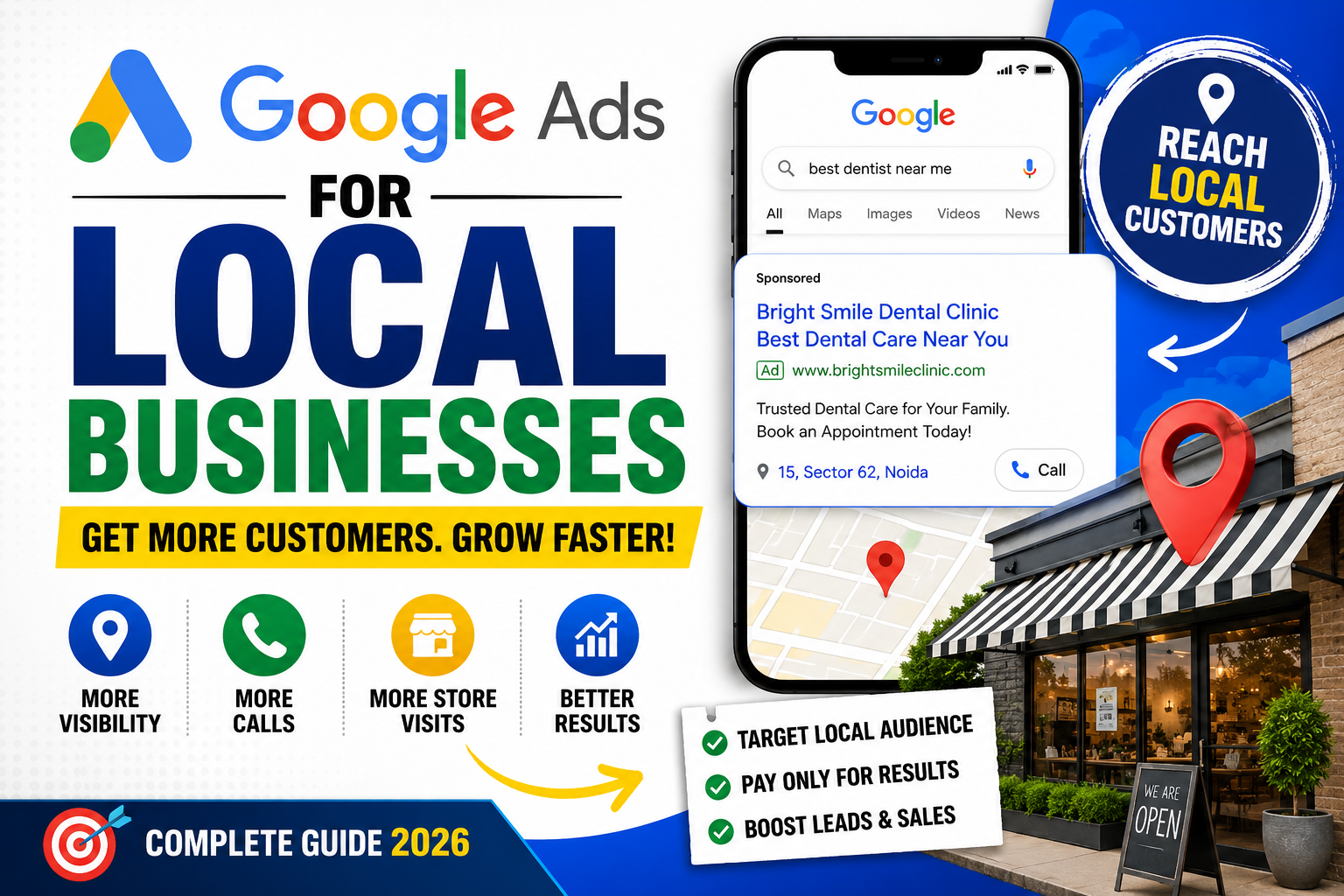
Google Ads for Local Businesses: A Smart Way to Reach Nearby Customers
In today's competitive market, simply having a website or social media presence isn't enough. When potential customers search for products or services near them, your business should appear at the top of Google Search. That's exactly where Google Ads becomes one of the most powerful marketing tools for local businesses.
Whether you own a restaurant, salon, gym, dental clinic, coaching center, real estate agency, repair service, or retail store, Google Ads can help you attract customers who are actively searching for what you offer.
In this guide, you'll learn everything you need to know about Google Ads for local businesses, including benefits, campaign types, costs, optimization tips, and common mistakes to avoid.
What Are Google Ads?
Google Ads is Google's online advertising platform that allows businesses to display ads across:
Google Search
Google Maps
YouTube
Gmail
Google Display Network
Partner websites
Unlike traditional advertising, Google Ads targets users based on their search intent, location, interests, and behavior.
For example:
Someone searches:
"Best dentist near me"
If your clinic is running Google Ads, your business can appear above the organic search results.
Why Local Businesses Should Use Google Ads
Local customers usually search before making a purchase.
Examples include:
Coffee shop near me
AC repair service
Gym in Noida
Car washing near me
Digital marketing agency nearby
Google Ads places your business directly in front of these high-intent customers.
Benefits include:
Instant visibility
More phone calls
More website visitors
Increased store visits
Better lead generation
Measurable ROI
Budget control
Types of Google Ads for Local Businesses
1. Search Ads
These text ads appear at the top of Google Search results.
Best for:
Service businesses
Doctors
Lawyers
Consultants
Local shops
Example:
Plumber in Delhi
Your advertisement appears before organic results.
2. Local Services Ads
Available in selected industries, these ads appear above standard search ads.
Features include:
Google Guaranteed badge
Pay per lead
Phone call generation
Customer reviews
Ideal for:
Electricians
Locksmiths
HVAC
Cleaning services
Plumbers
3. Google Maps Ads
Perfect for businesses with physical locations.
When users search nearby businesses, your listing gets promoted inside Google Maps.
Best for:
Restaurants
Cafes
Salons
Retail stores
Hotels
4. Display Ads
Visual banner advertisements shown across millions of websites.
Useful for:
Brand awareness
Promotions
Seasonal offers
Remarketing
5. Performance Max Campaigns
Google automatically shows your ads across:
Search
YouTube
Maps
Gmail
Discover
Display
Powered by AI, Performance Max helps maximize conversions using machine learning.
Benefits of Google Ads for Local Businesses
Reach Nearby Customers
Target ads within:
5 km
10 km
25 km
Entire city
Multiple locations
You only pay to reach relevant audiences.
Get More Phone Calls
Call Ads let customers contact you with one tap from mobile search results.
Ideal for:
Emergency services
Restaurants
Medical clinics
Repair businesses
Increase Store Visits
Google Maps integration helps customers:
Find directions
View your business
Read reviews
Visit your store
Flexible Budget
There's no fixed investment.
You can start with as little as:
₹300–₹500 per day.
Scale as your business grows.
Target the Right Audience
Target users by:
Location
Age
Gender
Interests
Search keywords
Device
Language
Time of day
How Much Do Google Ads Cost?
The cost depends on factors such as:
Industry competition
Keyword demand
Quality Score
Location
Campaign type
Approximate CPC (Cost Per Click):
| Industry | Average CPC |
|---|---|
| Restaurant | ₹10–₹40 |
| Salon | ₹15–₹60 |
| Education | ₹20–₹100 |
| Real Estate | ₹80–₹350 |
| Legal Services | ₹150–₹600 |
Even small businesses can generate quality leads with proper optimization.
How to Create a Local Google Ads Campaign
Step 1
Create a Google Ads account.
Step 2
Connect your Google Business Profile.
Step 3
Choose your campaign objective.
Examples:
Phone calls
Website traffic
Store visits
Leads
Step 4
Target your local area.
Example:
Only show ads within 15 km of your business.
Step 5
Select relevant keywords.
Examples:
Best bakery near me
Laptop repair in Delhi
Affordable gym nearby
Step 6
Write compelling ad copy.
Include:
Benefits
Offers
CTA
Location
Example:
Affordable Home Cleaning in Noida
Same-Day Service | Book Now
Tips to Improve Google Ads Performance
Use Location Extensions
Show:
Address
Directions
Distance
Phone number
Add Call Extensions
Allow users to call directly from the advertisement.
Use Negative Keywords
Prevent irrelevant traffic.
Example:
If you sell premium furniture, exclude:
Free
DIY
Used
Optimize Landing Pages
Ensure pages are:
Mobile-friendly
Fast-loading
Clear and simple
Include strong CTAs
Feature customer reviews
Track Conversions
Measure:
Calls
Form submissions
Purchases
Appointments
Store visits
Data-driven optimization leads to better results.
Common Mistakes to Avoid
Many local businesses waste money because they:
Target too many locations
Ignore negative keywords
Use poor landing pages
Skip conversion tracking
Never optimize campaigns
Use generic ad copy
Bid on irrelevant keywords
Avoiding these mistakes can significantly improve your return on investment.
Google Ads vs Facebook Ads
| Google Ads | Facebook Ads |
|---|---|
| Captures existing demand | Creates demand |
| High purchase intent | Interest-based targeting |
| Great for local searches | Great for brand awareness |
| Better for immediate leads | Better for engagement |
For many businesses, using both platforms together provides the best overall marketing strategy.
Best Businesses for Google Ads
Google Ads works exceptionally well for:
Restaurants
Cafes
Hospitals
Clinics
Salons
Gyms
Hotels
Coaching institutes
Car repair services
Real estate agencies
Home service providers
Retail stores
Digital marketing agencies
Law firms
Event planners
Final Thoughts
Google Ads is one of the fastest and most effective ways for local businesses to connect with nearby customers. By targeting users based on location and search intent, businesses can generate qualified leads, increase foot traffic, and improve sales without wasting their advertising budget.
Success with Google Ads depends on choosing the right keywords, writing compelling ad copy, optimizing landing pages, and continuously monitoring campaign performance. Even with a modest budget, a well-managed campaign can deliver impressive returns and help your business stand out in a competitive local market.
If you're looking to grow your local business in 2026, investing in Google Ads is a smart step toward reaching customers exactly when they need your products or services.
Frequently Asked Questions (FAQs)
Is Google Ads worth it for local businesses?
Yes. Google Ads helps businesses reach customers actively searching for nearby products and services, making it one of the highest-converting digital marketing channels.
How much should a local business spend on Google Ads?
Many small businesses begin with ₹300–₹1,000 per day and adjust their budget based on campaign performance and goals.
Which Google Ads campaign is best for local businesses?
Search Campaigns, Google Maps Ads, and Performance Max campaigns are often the most effective for generating local leads and increasing store visits.
How long does it take to see results?
You can start receiving clicks and inquiries within a few hours of launching a campaign. Consistent optimization typically improves performance over the following weeks.
Can Google Ads help increase foot traffic?
Absolutely. Features like location extensions, Google Maps integration, and local targeting encourage nearby customers to visit your physical store.