How I Built MindRush: A Professional Mind Game Using HTML, CSS, and JavaScript
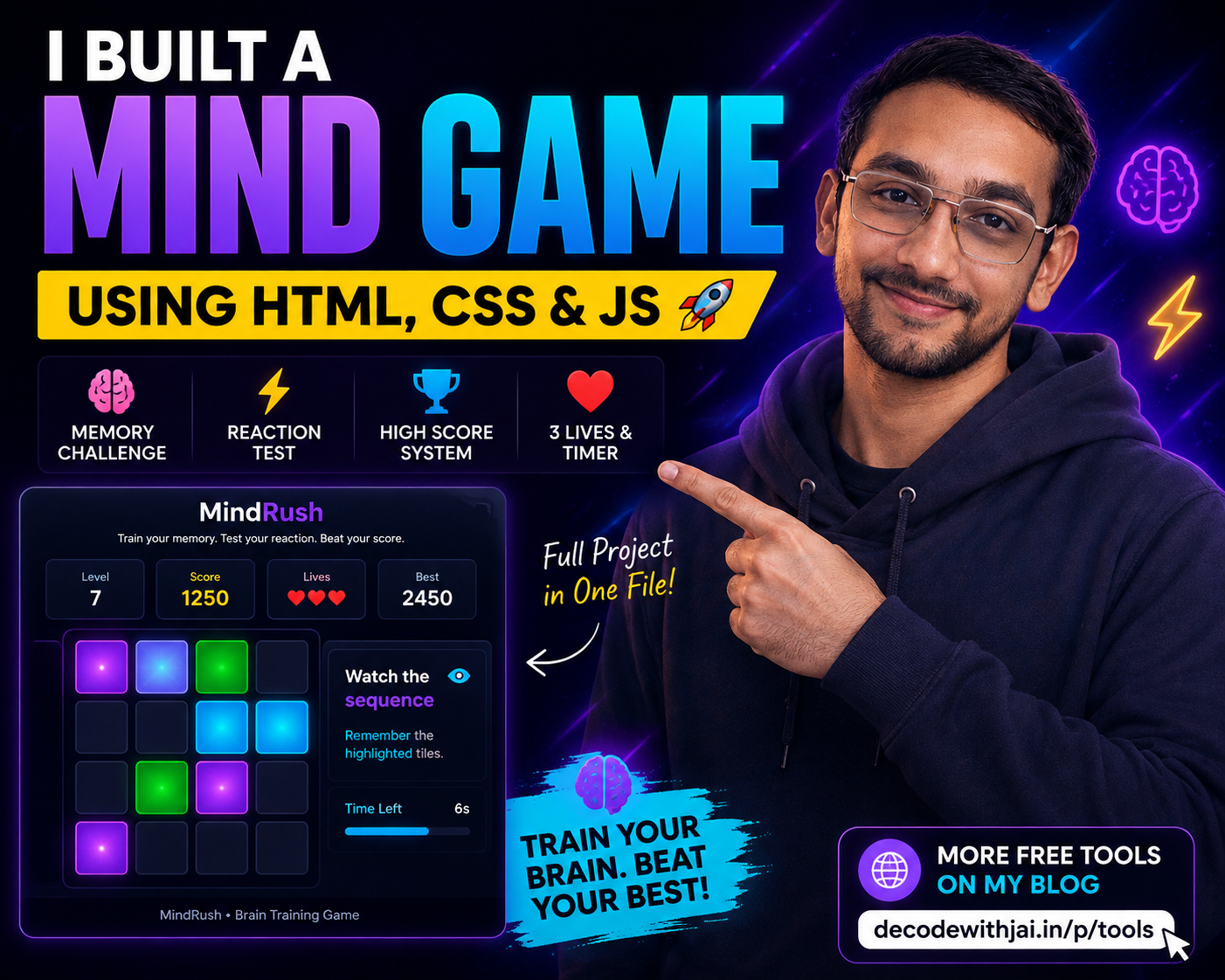
Have you ever played a browser game and wondered how it was created?
The good news is that you don't need a complex game engine to develop an engaging browser-based game. With nothing more than HTML, CSS, and JavaScript, you can build a fully responsive game that works on mobile phones, tablets, and desktop computers.
I recently built MindRush, a browser-based memory game designed to challenge concentration, reaction speed, and memory skills.
The entire game was developed in a single HTML file and included features such as:
Memory challenges
A scoring system
Difficulty progression
A timer
Lives and levels
High-score tracking
Responsive design
Sound effects
In this article, I'll explain how I built MindRush and how you can create your own professional browser game.
What Is MindRush?
MindRush is a memory-based brain-training game.
Players must memorize a sequence of highlighted tiles and reproduce the same sequence before time runs out.
Every completed level increases the difficulty.
The game becomes more challenging because:
The sequence becomes longer.
The timer becomes shorter.
The player's memory is tested more aggressively.
This simple mechanic creates an addictive gameplay loop that encourages players to continue playing.
Why Build a Browser Game?
Browser games offer several advantages.
1. No Downloads Required
Players can access the game immediately.
There is no installation process.
There are no software requirements.
A single link is enough.
2. Cross-Platform Compatibility
A browser game can run on:
Windows
macOS
Android
iPhone
Linux
Modern browser technologies make it possible to build interactive experiences without relying on traditional game engines.
3. Faster Development
HTML, CSS, and JavaScript are already available in every browser.
This means developers can focus on gameplay rather than configuring external software.
The Technologies Behind MindRush
HTML
HTML creates the structure of the game.
It defines:
Buttons
Scoreboards
Game tiles
Timers
Menus
Without HTML, the game would have no visible elements.
CSS
CSS controls the appearance of the game.
It manages:
Layout
Typography
Animations
Colors
Responsiveness
Modern CSS techniques such as Glassmorphism help create professional-looking interfaces.
JavaScript
JavaScript powers the game's logic.
It controls:
Random sequences
User interaction
Score calculations
Timers
Sound effects
Level progression
JavaScript is the brain behind the game.
How the Memory System Works
The game follows a simple algorithm.
Step 1: Generate a Random Sequence
The program randomly selects tiles.
Example:
[3, 7, 12, 5]
Step 2: Display the Sequence
The tiles light up one after another.
The player watches and memorizes them.
Step 3: Accept User Input
The game waits for the player to reproduce the sequence.
Step 4: Validate the Sequence
The program compares the player's input with the original sequence.
if(playerInput === generatedSequence){

    nextLevel();

}
If the sequences match, the player advances.
If they don't, the player loses a life.
Creating a Professional Scoring System
A simple scoring system is usually enough.
MindRush uses:
Level 1 = 100 points

Level 2 = 200 points

Level 3 = 300 points
Additional bonuses can include:
Combo points
Perfect round bonuses
Speed bonuses
Achievement rewards
Making the Game Fully Responsive
A browser game should work on every device.
Mobile
Features:
Large touch targets
Optimized spacing
Responsive typography
Play Now
Tablet
Features:
Flexible layouts
Better use of screen space
Landscape support
Desktop
Features:
Hover effects
Larger interfaces
Better visual feedback
Advanced Features Added to MindRush V2
The second version includes:
Difficulty Modes
Easy
Medium
Hard
Achievement System
Players can unlock achievements such as:
Memory Master
Speed Demon
Perfect Round
High-Score Champion
Sound Controls
Users can:
Enable sound
Disable sound
Pause the game
Local Storage
Scores are stored inside the browser.
localStorage.setItem(
    "highScore",
    score
);
Players can return later and continue competing against their previous records.
How to Optimize a Browser Game for SEO
Many developers forget one important fact.
Games also need SEO.
A browser game should include:
Descriptive Titles
Good example:
<title>
MindRush - Free Online Memory Game
</title>
Meta Descriptions
Example:
<meta
name="description"
content="Play MindRush, a free online memory game built with HTML, CSS, and JavaScript.">
Structured Navigation
Every important page should be internally linked.
Examples:
Home
Tools
Games
Tutorials
Privacy Policy
Fast Loading Speeds
Speed directly affects the user experience.
Optimize:
Images
JavaScript
CSS
Text-Based Content
Games should never rely entirely on visual elements.
Search engines understand text better than interactive components.
Always include:
Instructions
FAQs
Descriptions
Game explanations
Why I Added the DECODE WITH JAI Tools Page
I wanted MindRush to do more than entertain users.
I wanted it to become part of a larger ecosystem.
The game includes a call-to-action that directs players toward the DECODE WITH JAI Tools page.
Benefits include:
Increased page views
Longer sessions
Better internal linking
More content discovery
This strategy helps transform a simple game into a traffic-generating asset.
Future Updates
Planned features include:
Daily challenges
Multiplayer mode
Global leaderboards
Additional game modes
Statistics dashboards
Final Thoughts
Building a browser game is much easier than most people think.
HTML provides the structure.
CSS creates the design.
JavaScript delivers the logic.
Combined, these three technologies can create surprisingly powerful experiences.
MindRush proves that you don't need a massive game engine to create something engaging.
If you're a web developer, I encourage you to experiment with browser-based game development.
You might discover that your next project becomes much more than a simple coding exercise.
It could become an entire platform.
Frequently Asked Questions (FAQ)
Can I build a game using only HTML, CSS, and JavaScript?
Yes. Many browser games are built using only these three technologies.
Is a browser game mobile-friendly?
Yes. Responsive design allows browser games to work on smartphones, tablets, and desktop computers.
Can I host a browser game on Blogger?
Yes. A single HTML file can be embedded inside a Blogger page.
Is JavaScript enough for game development?
For many browser games, JavaScript handles most of the logic.
Can browser games rank on Google?
Yes. With proper SEO, browser games can attract organic traffic.