WordPress SEO Guide 2026: Complete Strategy to Rank Your Website on Google
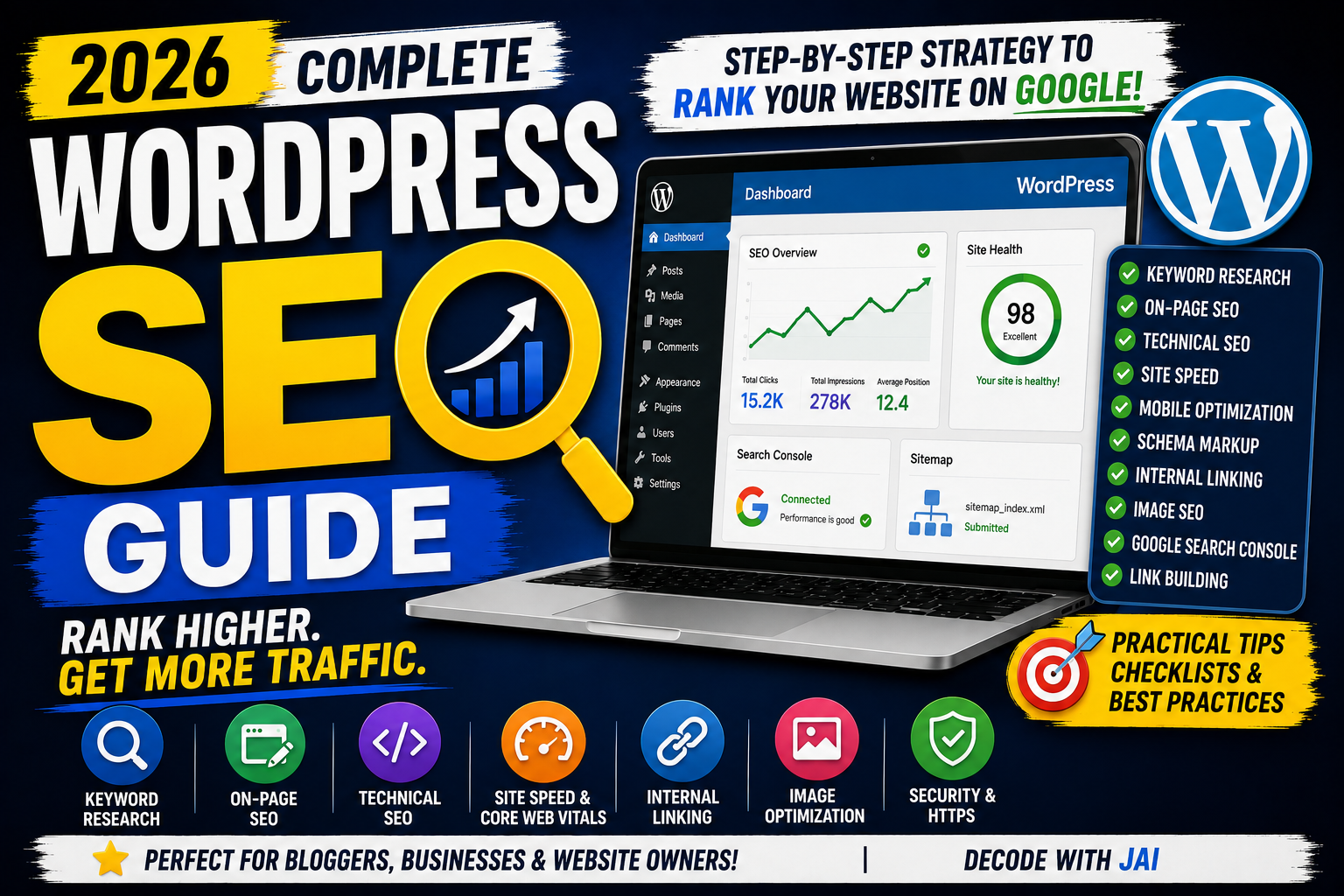
WordPress powers millions of websites, blogs, online stores, news platforms, and business websites around the world.
However, simply creating a WordPress website does not guarantee Google rankings.
Many website owners install an SEO plugin, add a focus keyword, and expect their pages to automatically appear at the top of search results.
That is not how SEO works.
WordPress provides excellent flexibility for search engine optimization, but your website still needs a strong content strategy, proper technical configuration, internal linking, fast performance, search intent optimization, and continuous improvement.
In this complete WordPress SEO guide, you'll learn how to optimize a WordPress website for Google—from basic settings and SEO plugins to keyword research, technical SEO, Core Web Vitals, schema markup, internal linking, image SEO, and advanced optimization strategies.
Whether you're a beginner, blogger, business owner, web developer, or digital marketer, this guide will help you build a stronger SEO foundation for your WordPress website.
What is WordPress SEO?
WordPress SEO is the process of optimizing a WordPress website to improve its visibility in search engines.
The goal is to help search engines:
Discover your website
Crawl important pages
Understand your content
Index relevant URLs
Connect related topics
Display pages for relevant searches
WordPress SEO includes:
Keyword research
On-page SEO
Technical SEO
Content optimization
Internal linking
Image optimization
Structured data
Website speed
Mobile optimization
Link building
Installing an SEO plugin is only one part of WordPress SEO.
Is WordPress Good for SEO?
Yes.
WordPress is one of the most flexible content management systems for SEO.
It allows website owners to control:
Page titles
Meta descriptions
URLs
Heading structures
Internal links
Image ALT text
Sitemaps
Robots settings
Schema markup
Redirects
SEO plugins can make many optimization tasks easier.
However, WordPress itself does not guarantee rankings.
Your content quality, search intent, website structure, technical health, and overall SEO strategy still matter.
WordPress vs Blogger for SEO
| Feature | WordPress | Blogger |
|---|---|---|
| SEO Flexibility | High | Moderate |
| SEO Plugins | Available | Limited |
| Technical Control | Strong | Limited |
| Hosting | Usually Paid | Free |
| Customization | High | Moderate |
| Schema Control | Strong | Theme Dependent |
| Redirect Management | Easy with Plugins | Limited |
| Performance Control | High | Moderate |
| Beginner Friendly | Good | Excellent |
| Advanced SEO | Excellent | Possible but Limited |
Blogger can rank on Google.
WordPress simply provides more advanced SEO control.
Choose SEO-Friendly WordPress Hosting
Your hosting provider can affect:
Website speed
Server response time
Website uptime
User experience
Technical performance
Choose hosting that provides:
Reliable uptime
Fast servers
SSL certificates
Modern PHP support
Caching options
Regular backups
Do not choose hosting based only on the lowest price.
Website performance matters.
Install an SSL Certificate
Your website should use HTTPS.
Bad:
http://example.com
Better:
https://example.com
Most modern hosting providers offer SSL certificates.
After enabling SSL, make sure your website consistently redirects visitors to the HTTPS version.
Check WordPress Search Engine Visibility
WordPress includes a search engine visibility option.
Go to:
Settings → Reading
Check:
Discourage search engines from indexing this site
For a live website that you want indexed, this option should normally remain unchecked.
This setting is often enabled during development and accidentally left active after launch.
Always check it when launching a new WordPress website.
Choose an SEO-Friendly WordPress Theme
Your theme affects:
Website speed
HTML structure
Mobile responsiveness
Core Web Vitals
Accessibility
User experience
Choose a theme that is:
Lightweight
Responsive
Fast
Regularly updated
Compatible with modern WordPress
Easy to customize
Avoid themes overloaded with unnecessary scripts and animations.
Popular lightweight WordPress themes include:
GeneratePress
Astra
Kadence
Blocksy
Choose a theme based on your actual website requirements.
Install an SEO Plugin
SEO plugins simplify many WordPress SEO tasks.
Popular options include:
Rank Math
Yoast SEO
All in One SEO
SEO plugins can help manage:
SEO titles
Meta descriptions
XML sitemaps
Robots meta tags
Schema markup
Canonical URLs
Use one primary SEO plugin.
Avoid running multiple SEO plugins together because they may create duplicate metadata or technical conflicts.
Rank Math vs Yoast SEO
| Feature | Rank Math | Yoast SEO |
|---|---|---|
| SEO Analysis | Detailed | Beginner Friendly |
| Multiple Focus Keywords | Available | Depends on Plan |
| Schema Features | Strong | Available |
| Redirect Manager | Available | Plan Dependent |
| User Interface | Modern | Simple |
| Sitemap | Yes | Yes |
| WooCommerce SEO | Available | Available |
Both plugins can support SEO workflows.
Choose the one that fits your requirements and avoid switching plugins unnecessarily.
Configure WordPress Permalinks
SEO-friendly URLs should be readable and descriptive.
Go to:
Settings → Permalinks
A common structure is:
/%postname%/
Example:
example.com/wordpress-seo-guide/
Avoid unclear URLs such as:
example.com/?p=123
For existing websites, changing permalink structures can affect old URLs.
Plan redirects carefully before making major URL changes.
Connect Google Search Console
Google Search Console helps you understand your website's performance in Google Search.
You can monitor:
Clicks
Impressions
CTR
Average position
Search queries
Indexing issues
Crawling
Core Web Vitals
Add your WordPress website and verify ownership.
For many websites, a Domain property can provide broader coverage across domain variations.
Submit Your XML Sitemap
Most SEO plugins automatically create XML sitemaps.
Common examples include:
example.com/sitemap_index.xml
or:
example.com/sitemap.xml
Check the sitemap URL provided by your SEO plugin.
Then go to:
Google Search Console → Sitemaps
Submit your sitemap.
Monitor the status for errors.
Understand Robots.txt
Robots.txt provides crawling instructions to search engine bots.
Example:
User-agent: *
Disallow: /wp-admin/
Allow: /wp-admin/admin-ajax.php
Do not block important pages, CSS files, JavaScript, or images without understanding the consequences.
Avoid copying random robots.txt configurations from the internet.
Use Canonical URLs
Canonical tags help search engines understand the preferred version of a page.
Example:
<link rel="canonical" href="https://example.com/wordpress-seo-guide/">
SEO plugins usually manage canonical tags automatically.
Use custom canonical URLs only when necessary.
Incorrect canonical tags can cause indexing problems.
Perform Keyword Research
Keyword research helps you understand what users are searching for.
Before creating content, identify:
Primary keyword
Secondary keywords
Search intent
Related questions
Competitor content
Topic opportunities
Useful tools include:
Google Search
Google Trends
Google Keyword Planner
Google Search Console
Ahrefs
Semrush
For newer websites, specific long-tail keywords can provide focused content opportunities.
Example:
Broad keyword:
WordPress SEO
Long-tail keyword:
how to optimize WordPress website for SEO
Understand Search Intent
Search intent is the reason behind a search query.
Informational Intent
Example:
What is WordPress SEO?
The user wants information.
Commercial Intent
Example:
Rank Math vs Yoast SEO
The user is comparing options.
Transactional Intent
Example:
Buy WordPress SEO service
The user may be ready to purchase.
Navigational Intent
The user wants to find a specific website or page.
Your content should match the expected search intent.
Optimize SEO Titles
Your SEO title should clearly describe the page.
Bad:
My WordPress Tips
Better:
WordPress SEO Guide (2026): Complete Strategy to Rank on Google
A strong SEO title should:
Include the topic naturally
Match search intent
Clearly describe the page
Encourage relevant clicks
Avoid misleading titles.
Write Better Meta Descriptions
A meta description summarizes the page.
Example:
Learn WordPress SEO with this complete 2026 guide covering Rank Math, technical SEO, keywords, internal linking, speed, schema, and Google Search Console.
Write unique descriptions for important pages.
Avoid using the same meta description across multiple pages.
Use Proper Heading Structure
Use headings to organize your content.
Recommended structure:
H1
 ↓
H2
 ↓
H3
Your page should have a clear main heading.
Use H2 headings for major topics and H3 headings for supporting sections.
Do not use headings only to make text visually larger.
Optimize WordPress URLs
Keep URLs short and descriptive.
Bad:
example.com/complete-guide-to-learning-everything-about-wordpress-seo-in-2026/
Better:
example.com/wordpress-seo-guide/
Avoid:
Unnecessary words
Random numbers
Keyword stuffing
Complex URL structures
Create Helpful Content
High-quality content should solve the user's problem.
Your content should:
Match search intent
Answer important questions
Explain concepts clearly
Provide practical examples
Use logical headings
Be reviewed for accuracy
Add original value
Do not create content only to reach a specific word count.
Quality and usefulness matter more than writing unnecessary paragraphs.
Build Topical Authority
Topical authority involves creating comprehensive content around a focused subject.
For example, an SEO publication can create:
Complete SEO Guide
Keyword Research Guide
On-Page SEO Guide
Technical SEO Guide
Image SEO Guide
Local SEO Guide
Blogger SEO Guide
WordPress SEO Guide
Internal Linking Strategy
These articles should be connected using internal links.
This creates a topic cluster.
Use Internal Linking
Internal links connect related pages on your website.
Benefits include:
Better website navigation
Improved content discovery
Stronger topic relationships
Fewer orphan pages
Better user experience
Use descriptive anchor text.
Bad:
Click here
Better:
complete technical SEO guide
Review old articles and add links to newer relevant content.
Optimize WordPress Categories and Tags
WordPress categories organize broad topics.
Example:
SEO
AI
Web Development
Digital Marketing
Tags describe more specific topics.
Avoid creating hundreds of unnecessary tags.
Example:
Bad:
SEO
SEO Guide
SEO Tips
Best SEO
SEO Strategy
This can create many thin archive pages.
Use categories and tags strategically.
Optimize Images
Images can significantly affect website performance.
Before uploading:
Resize images
Compress files
Use WebP or AVIF
Write descriptive filenames
Add ALT text
Bad filename:
IMG_5827.png
Better:
wordpress-seo-guide-2026.webp
Example ALT text:
WordPress SEO dashboard showing website optimization and Google ranking performance.
Avoid keyword stuffing in ALT text.
Enable Lazy Loading
Lazy loading delays off-screen images until users scroll near them.
Modern WordPress versions include native lazy loading support for many images.
You can also optimize image delivery using performance plugins or CDNs.
Do not lazy-load every important above-the-fold image without testing performance.
Your Largest Contentful Paint image may need different optimization.
Improve WordPress Website Speed
Website speed affects user experience.
Improve performance by:
Using lightweight themes
Compressing images
Reducing plugins
Minifying CSS
Optimizing JavaScript
Enabling caching
Using a CDN
Optimizing the database
Test your website with:
Google PageSpeed Insights
Lighthouse
Do not install multiple optimization plugins that perform the same tasks.
They may create conflicts.
Improve Core Web Vitals
Important Core Web Vitals include:
Largest Contentful Paint (LCP)
Measures loading performance.
Improve LCP by:
Optimizing hero images
Improving server response
Reducing render-blocking resources
Using caching
Interaction to Next Paint (INP)
Measures responsiveness.
Improve INP by:
Reducing heavy JavaScript
Limiting unnecessary third-party scripts
Optimizing interactive elements
Cumulative Layout Shift (CLS)
Measures visual stability.
Improve CLS by:
Setting image dimensions
Reserving ad space
Avoiding unexpected layout changes
Use a Caching Plugin
Caching can improve WordPress performance.
Popular caching solutions include:
LiteSpeed Cache
WP Rocket
W3 Total Cache
Your best option may depend on your hosting environment.
For example, LiteSpeed Cache works especially well with compatible LiteSpeed servers.
Configure caching carefully.
Use a Content Delivery Network
A CDN can deliver website assets from servers closer to users.
Popular CDN solutions include:
Cloudflare
Bunny CDN
Fastly
Benefits can include:
Faster global delivery
Reduced server load
Improved asset delivery
A CDN does not automatically fix poorly optimized code or oversized images.
Reduce Unnecessary WordPress Plugins
Too many plugins can increase:
JavaScript
CSS
Database queries
Security risks
Maintenance requirements
Do not focus only on the total number of plugins.
One poorly optimized plugin can create more problems than several lightweight plugins.
Regularly review installed plugins and remove unnecessary ones.
Add Structured Data
Structured data helps search engines understand webpage content.
Useful schema types include:
Article
BlogPosting
Product
FAQ
BreadcrumbList
Organization
LocalBusiness
SEO plugins can automatically generate schema.
Only use schema that accurately represents the page.
Do not add review or product schema to unrelated pages.
Optimize Breadcrumbs
Breadcrumbs help users understand website hierarchy.
Example:
Home → SEO → WordPress SEO Guide
Benefits include:
Better navigation
Clear website structure
Improved user experience
Many SEO plugins provide breadcrumb functionality.
Fix Broken Links
Broken links create a poor user experience.
Regularly check for:
Broken internal links
Broken external links
Deleted pages
Incorrect URLs
Update or redirect broken pages where appropriate.
Tools such as Screaming Frog can help audit website links.
Use 301 Redirects Correctly
A 301 redirect permanently sends users and search engines from an old URL to a new URL.
Example:
old-page → new-page
Use 301 redirects when:
Changing URLs
Merging pages
Moving content
Replacing deleted pages with relevant alternatives
Avoid creating long redirect chains.
Avoid Duplicate Content
Duplicate content can appear because of:
HTTP and HTTPS versions
WWW and non-WWW versions
Category archives
Tag archives
Pagination
URL parameters
Use:
Canonical tags
Proper redirects
Consistent internal links
Audit your website regularly.
Create Important Trust Pages
A professional WordPress website should include relevant trust and policy pages.
Common pages include:
About Us
Contact Us
Privacy Policy
Disclaimer
Terms and Conditions
Depending on your website, you may also need:
Affiliate Disclosure
Refund Policy
Shipping Policy
Cookie information
Policies should accurately represent your website's real practices.
Add Author Information
Author information can improve transparency.
Include:
Author name
Profile photo
Short biography
Relevant experience
Social profiles
Do not create fake expertise.
Only include accurate credentials and experience.
Connect Google Analytics 4
Google Analytics 4 helps you understand website behavior.
Track:
Users
Sessions
Views
Engagement
Traffic sources
Landing pages
Events
Conversions
Remember:
Event count is not the same as user count.
One visitor can trigger multiple events.
Analyze Google Search Console Data
Use Search Console to identify SEO opportunities.
Check pages with:
High Impressions + Low CTR
Improve:
SEO title
Meta description
Search intent alignment
Positions 8–20
Improve:
Content depth
Internal links
Page experience
Topic coverage
Declining Clicks
Review:
Search demand
Competitors
Content freshness
Ranking changes
Use data to guide your SEO decisions.
Update Old WordPress Content
SEO is not only about publishing new articles.
Update older pages with:
New information
Updated screenshots
Better examples
Fixed links
Improved headings
New internal links
Content refreshes should provide genuine improvements.
Do not change publication dates without meaningful updates simply to make content look fresh.
Build Quality Backlinks
Backlinks can help build website authority and content discovery.
Ways to earn backlinks include:
Original research
Statistics pages
Free tools
Templates
Detailed tutorials
Industry reports
Expert contributions
Digital PR
Avoid buying spammy backlink packages.
Relevance and quality matter more than large backlink numbers.
WordPress SEO Plugins You May Need
Depending on your website, useful plugin categories include:
SEO plugin
Caching plugin
Image optimization plugin
Security plugin
Backup plugin
Avoid installing multiple plugins for the same function.
Keep WordPress, themes, and plugins updated.
WordPress SEO Checklist
Before publishing an important page, check:
✅ Primary keyword selected
✅ Search intent understood
✅ SEO title optimized
✅ Meta description written
✅ Short URL created
✅ One clear H1
✅ Proper heading hierarchy
✅ Helpful content published
✅ Internal links added
✅ Images optimized
✅ ALT text written
✅ Schema checked
✅ Mobile layout tested
✅ Page speed reviewed
✅ Content fact-checked
Common WordPress SEO Mistakes
Avoid these mistakes:
Installing multiple SEO plugins
Ignoring search intent
Publishing thin content
Using heavy themes
Installing unnecessary plugins
Ignoring website speed
Missing internal links
Creating too many tags
Using large images
Ignoring Core Web Vitals
Incorrect robots settings
Poor permalink structure
Missing redirects
Ignoring Search Console
Never updating old content
WordPress SEO Strategy for 2026
A practical WordPress SEO strategy includes:
Choose reliable hosting.
Install a lightweight theme.
Configure one SEO plugin.
Set SEO-friendly permalinks.
Connect Google Search Console.
Submit your sitemap.
Research keywords and search intent.
Build pillar pages and topic clusters.
Create helpful content.
Add strategic internal links.
Optimize images.
Improve Core Web Vitals.
Add accurate structured data.
Monitor Search Console performance.
Update old content.
Earn relevant backlinks.
SEO should be treated as an ongoing process.
Measure.
Analyze.
Improve.
Repeat.
Final Thoughts
WordPress is an excellent platform for SEO because it provides flexibility and advanced optimization options.
However, installing Rank Math or Yoast SEO does not automatically rank a website.
Successful WordPress SEO requires a complete strategy involving helpful content, keyword research, search intent, technical optimization, website speed, internal linking, structured data, and continuous analysis.
Focus on creating a website that is easy for users to navigate and easy for search engines to understand.
Use SEO plugins as tools—not shortcuts.
When content quality and technical optimization work together, WordPress can become a powerful platform for long-term organic growth.
Frequently Asked Questions
1. Is WordPress good for SEO?
Yes. WordPress provides strong SEO flexibility, especially when combined with a lightweight theme, proper technical configuration, and a good content strategy.
2. Which SEO plugin is best for WordPress?
Rank Math, Yoast SEO, and All in One SEO are popular options. The best choice depends on your website and workflow.
3. Is Rank Math enough for SEO?
No. Rank Math can help manage technical and on-page SEO settings, but content quality, search intent, website performance, internal linking, and backlinks still matter.
4. How long does WordPress SEO take?
SEO results vary depending on website history, competition, content quality, technical health, and search demand. SEO is generally a long-term strategy.
5. How many WordPress plugins are too many?
There is no universal number. Focus on plugin quality, performance, security, and whether each plugin is genuinely necessary.
6. Should I use WordPress or Blogger for SEO?
WordPress provides greater SEO flexibility and technical control. Blogger is simpler and can still rank. Your best choice depends on your website goals, technical requirements, and budget.
7. Can AI-generated content rank on WordPress?
AI-assisted content may rank if it is accurate, helpful, original, and created for users. Always review, fact-check, and improve content before publishing.