SEO Audit Guide 2026: Complete Step-by-Step Website SEO Audit Checklist
A website can publish high-quality content, build backlinks, and target valuable keywords but still struggle to rank on Google.
Why?
The website may have hidden SEO problems.
Broken links, indexing issues, duplicate content, slow pages, incorrect canonical tags, poor internal linking, and weak search intent alignment can silently reduce a website's organic performance.
This is where an SEO audit becomes important.
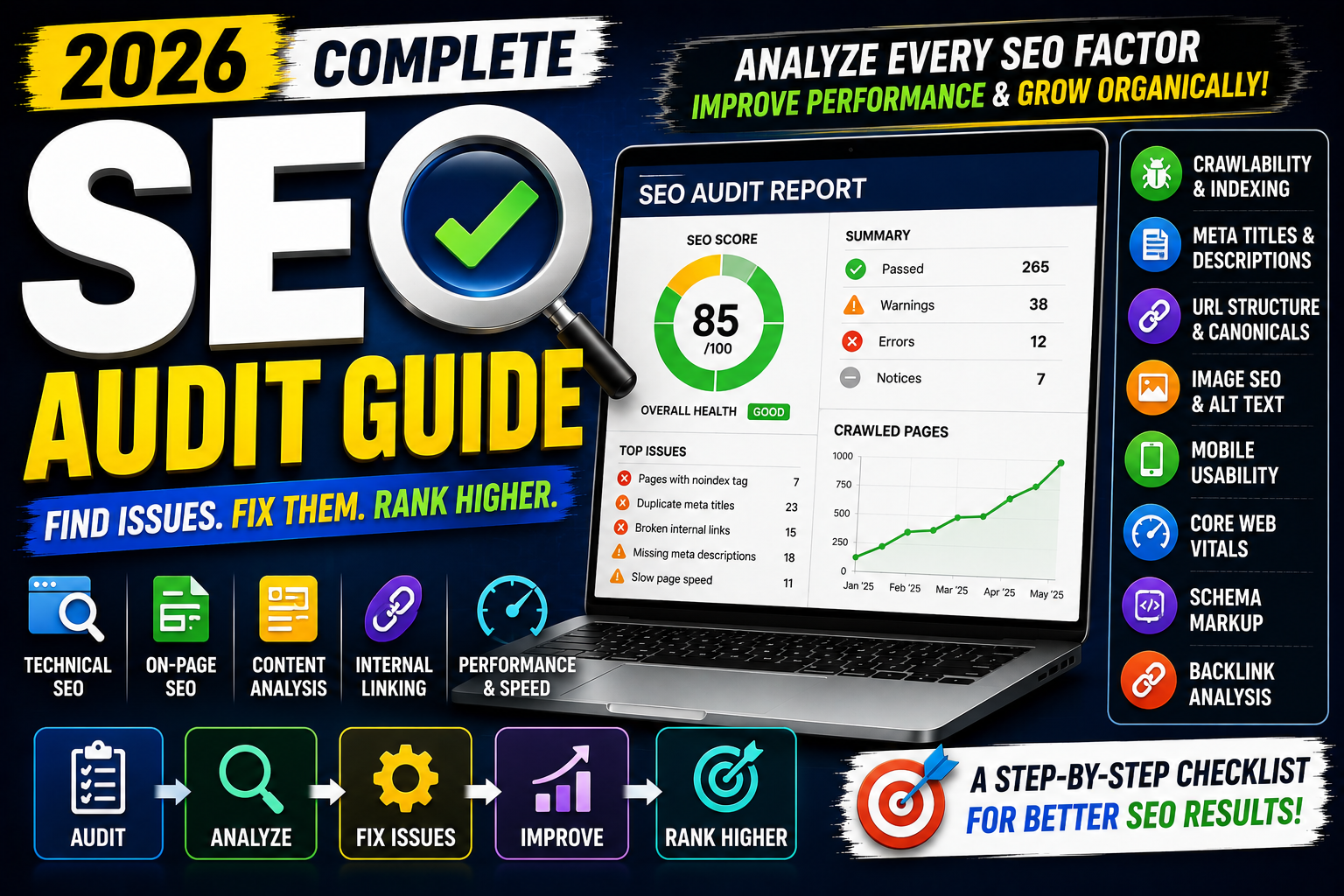
An SEO audit is a complete analysis of a website's search engine optimization health. It helps you identify technical issues, content weaknesses, on-page SEO problems, and opportunities for organic growth.
In this complete SEO audit guide, you'll learn how to perform a step-by-step website SEO audit in 2026.
We'll cover technical SEO, Google Search Console, indexing, keywords, content, internal links, images, Core Web Vitals, backlinks, structured data, and performance tracking.
Whether you're a blogger, SEO professional, business owner, developer, or digital marketer, this guide will help you understand what to check and how to prioritize SEO improvements.
What Is an SEO Audit?
An SEO audit is the process of analyzing a website to identify problems and opportunities that may affect its visibility in search engines.
The audit reviews different areas of SEO, including:
Technical SEO
On-page SEO
Content quality
Keyword targeting
Internal linking
Website performance
Mobile usability
Image SEO
Structured data
Backlinks
Think of an SEO audit as a health check for your website.
Instead of randomly changing titles, publishing more articles, or building backlinks, an audit helps you understand the website's current condition.
Why Is an SEO Audit Important?
SEO problems are not always visible to normal website visitors.
A page may look completely fine but still have:
A
noindextagAn incorrect canonical URL
Broken internal links
Slow loading resources
Duplicate metadata
Crawl problems
An SEO audit helps identify these issues.
Benefits of an SEO audit include:
Improved crawlability
Better indexing
Stronger website structure
Better user experience
Improved content quality
Higher organic visibility
Better SEO decision-making
An audit does not guarantee rankings.
It gives you the information needed to make better SEO improvements.
How Often Should You Perform an SEO Audit?
The frequency depends on the size and type of website.
A small blog may perform a detailed SEO audit every three to six months.
Large websites, news publications, and e-commerce platforms may need more frequent monitoring.
You should also consider an SEO audit after:
A website redesign
Domain migration
CMS migration
Major traffic decline
Large content update
Significant URL changes
Google Search visibility changes
Technical monitoring should be continuous even between full audits.
SEO Audit Checklist Overview
A complete SEO audit can be divided into several stages:
Website crawling
Indexing analysis
Google Search Console review
Technical SEO audit
On-page SEO audit
Content audit
Keyword analysis
Internal linking audit
Image SEO audit
Website performance audit
Mobile SEO audit
Structured data audit
Backlink audit
Competitor analysis
SEO reporting
Let's understand each stage.
Step 1: Crawl Your Website
The first step is understanding your website's structure.
SEO crawling tools can discover:
Website URLs
Status codes
Titles
Meta descriptions
Headings
Canonical tags
Internal links
Images
Popular crawling tools include:
Screaming Frog SEO Spider
Sitebulb
Semrush Site Audit
Ahrefs Site Audit
For smaller websites, the free version of Screaming Frog can be useful for basic audits.
After crawling the website, review the number and types of URLs discovered.
Step 2: Check Website Indexing
A page must generally be indexed before it can appear in Google Search.
Use Google Search Console to review indexing information.
Check:
Indexed pages
Not indexed pages
Crawled pages
Discovered pages
Duplicate URLs
Redirected URLs
Do not assume that every non-indexed page represents an SEO problem.
Some URLs should not be indexed.
Examples may include:
Admin pages
Duplicate URLs
Internal search pages
Utility pages
Focus on important pages that should appear in search results.
Step 3: Review Google Search Console
Google Search Console is one of the most important tools for an SEO audit.
Analyze:
Clicks
Impressions
Average CTR
Average position
Search queries
Top pages
Countries
Devices
Look for patterns.
High Impressions and Low CTR
The page is appearing in search but users are not clicking frequently.
Review:
SEO title
Search intent
Page relevance
Ranking Between Positions 8 and 20
These pages may have improvement opportunities.
Review:
Content quality
Topic coverage
Internal links
Search intent
Declining Clicks
Analyze:
Query changes
Competitor content
Search demand
Content freshness
Technical issues
Avoid making conclusions from only one day of data.
Review longer trends.
Step 4: Check HTTPS
Your website should use HTTPS.
Example:
https://example.com
Check whether HTTP URLs redirect correctly to HTTPS.
Bad setup:
http://example.com
https://example.com
Both versions remain independently accessible.
Preferred setup:
http://example.com
↓
https://example.com
Use permanent redirects where appropriate.
Step 5: Check WWW and Non-WWW Versions
Websites may use:
www.example.com
or:
example.com
Choose one preferred version.
The alternative version should redirect consistently.
This helps prevent unnecessary URL duplication.
Step 6: Audit XML Sitemap
An XML sitemap helps search engines discover important URLs.
Check:
Is the sitemap accessible?
Does it contain important pages?
Does it include broken URLs?
Does it include redirected URLs?
Does it include
noindexpages?
Submit your sitemap through Google Search Console.
Common WordPress sitemap URLs may include:
/sitemap_index.xml
Blogger commonly provides:
/sitemap.xml
Always verify the actual sitemap generated by your CMS or SEO system.
Step 7: Audit Robots.txt
Robots.txt provides crawling instructions.
Example:
User-agent: *
Disallow: /admin/
Check whether important sections are accidentally blocked.
A small robots.txt mistake can affect website crawling.
Never copy robots.txt configurations without understanding the directives.
Step 8: Check Robots Meta Tags
Review important pages for robots meta directives.
Example:
<meta name="robots" content="noindex, follow">
A noindex directive tells compatible search engines not to index the page.
Important ranking pages should not accidentally contain noindex.
Audit:
Blog posts
Service pages
Category pages
Product pages
Landing pages
Step 9: Audit Canonical Tags
Canonical tags help indicate the preferred version of a page.
Example:
<link rel="canonical" href="https://example.com/seo-audit-guide/">
Check for:
Missing canonicals
Canonicals pointing to incorrect pages
Canonicals pointing to redirects
Conflicting canonical signals
For many standard pages, a self-referencing canonical is common.
Do not manually change canonical tags without understanding the indexing impact.
Step 10: Find Broken Pages
A broken page commonly returns a 404 status code.
Broken URLs can create a poor user experience.
Check:
Internal 404 links
Broken navigation links
Deleted articles
Broken image URLs
Fix broken internal links.
If an old page has moved permanently to a relevant new URL, a 301 redirect may be appropriate.
Do not redirect every deleted page to the homepage.
Step 11: Find Redirect Chains
A redirect chain happens when multiple redirects occur.
Example:
Page A
↓
Page B
↓
Page C
A cleaner setup is:
Page A
↓
Page C
Long redirect chains can slow navigation and complicate crawling.
Update internal links to point directly to the final URL.
Step 12: Check SEO Titles
Every important page should have a clear title.
Audit for:
Missing titles
Duplicate titles
Very generic titles
Keyword stuffing
Titles that do not match content
Bad title:
SEO Page
Better:
SEO Audit Guide (2026): Complete Website SEO Checklist
The title should accurately describe the page.
Step 13: Audit Meta Descriptions
Check for:
Missing descriptions
Duplicate descriptions
Generic descriptions
Misleading descriptions
Example:
Learn how to perform a complete SEO audit in 2026. Check technical SEO, indexing, content, internal links, Core Web Vitals, images, and backlinks.
Meta descriptions should clearly explain the page.
Search engines may choose different snippets depending on the query.
Step 14: Review Heading Structure
Headings organize content.
A logical structure looks like:
H1
├── H2
│   ├── H3
│   └── H3
└── H2
Check:
Missing main headings
Multiple confusing H1s
Incorrect heading hierarchy
Headings used only for visual styling
Headings should improve content structure.
Step 15: Audit URL Structure
SEO-friendly URLs should be simple and descriptive.
Bad:
example.com/page?id=82947
Better:
example.com/seo-audit-guide/
Check for:
Long URLs
Random numbers
Unnecessary parameters
Keyword stuffing
Duplicate URL variations
Do not change ranking URLs without a valid reason.
URL changes may require redirects.
Step 16: Perform a Content Audit
A content audit analyzes existing website content.
Create a content inventory.
For each page, review:
Organic clicks
Impressions
Rankings
Search intent
Content quality
Content freshness
Internal links
Classify content into:
Keep
The page is useful and performing well.
Improve
The page has potential but needs updates.
Merge
Multiple pages cover the same topic.
Remove
The page provides no value and has no strategic purpose.
Content deletion should be handled carefully.
Step 17: Find Thin Content
Thin content provides little useful information.
Examples include:
Empty category pages
Very short low-value posts
Automatically generated pages
Duplicate location pages
Do not judge content only by word count.
A short page can be useful if it completely answers the query.
Evaluate value and search intent.
Step 18: Check Duplicate Content
Duplicate content can exist because of:
URL parameters
HTTP and HTTPS versions
WWW variations
Tags
Categories
Printer pages
Copied content
Use canonical tags, redirects, and consistent URL structures where appropriate.
Step 19: Analyze Search Intent
A page can be technically perfect and still fail if it targets the wrong search intent.
Example keyword:
best seo tools
Users may expect:
A list of tools
Comparisons
Features
Pricing information
A basic article explaining "What is SEO?" would not satisfy the query.
Compare your content format with the expected user need.
Step 20: Check Keyword Cannibalization
Keyword cannibalization may happen when multiple pages compete for very similar search intent.
Example:
SEO Audit Guide
Complete SEO Audit
Website SEO Audit Checklist
If all three pages provide nearly identical information, they may overlap unnecessarily.
Review Google Search Console and page content.
Possible solutions include:
Differentiating search intent
Merging overlapping content
Improving internal links
Do not merge pages only because they share a few keywords.
Step 21: Audit Internal Links
Internal linking helps connect related content.
Check for:
Orphan pages
Broken internal links
Excessive repeated links
Generic anchor text
Important pages with few internal links
Example:
A complete SEO guide can link to:
Technical SEO Guide
Image SEO Guide
Local SEO Guide
Blogger SEO Guide
WordPress SEO Guide
SEO Audit Guide
Internal links should be useful for readers.
Step 22: Find Orphan Pages
An orphan page has no meaningful internal links pointing to it.
These pages can be difficult for users and search engines to discover.
Connect important orphan pages from:
Relevant articles
Category pages
Navigation
Pillar pages
Do not add random internal links only to remove the orphan status.
Links should make contextual sense.
Step 23: Audit Images
Images can create significant performance issues.
Check:
File size
Image dimensions
Format
ALT text
Broken images
Lazy loading
Use modern formats such as:
WebP
AVIF
Write descriptive ALT text for informative images.
Avoid keyword stuffing.
Step 24: Check Core Web Vitals
Core Web Vitals measure important aspects of page experience.
Key metrics include:
Largest Contentful Paint (LCP)
Measures loading performance.
Interaction to Next Paint (INP)
Measures responsiveness.
Cumulative Layout Shift (CLS)
Measures visual stability.
Use:
Google PageSpeed Insights
Lighthouse
Google Search Console
Analyze both field and lab data where available.
Step 25: Check Website Speed
Review:
Server response
Large images
Render-blocking resources
Unused JavaScript
Unused CSS
Third-party scripts
Common improvements include:
Image compression
Caching
CDN usage
CSS optimization
JavaScript optimization
Do not install multiple performance plugins without understanding how they interact.
Step 26: Audit Mobile Experience
Test the website on real mobile devices when possible.
Check:
Text size
Navigation
Buttons
Tables
Images
Popups
Horizontal scrolling
A desktop-perfect website can still provide a poor mobile experience.
Mobile usability should be part of every SEO audit.
Step 27: Audit Structured Data
Structured data helps search engines understand page information.
Common schema types include:
Article
BlogPosting
Product
LocalBusiness
Organization
BreadcrumbList
Use Google's Rich Results Test and Schema Markup Validator.
Check for:
Invalid properties
Missing required information
Duplicate schema
Incorrect schema types
Schema should represent the actual content.
Step 28: Perform a Backlink Audit
Backlinks are links from external websites.
Analyze:
Referring domains
Relevant backlinks
Anchor text
Lost backlinks
Suspicious links
Popular tools include:
Google Search Console
Ahrefs
Semrush
Do not panic over every low-quality link.
Focus on understanding your overall backlink profile.
Step 29: Analyze Competitors
Competitor analysis can reveal SEO opportunities.
Review:
Ranking keywords
Content topics
Page structures
Backlinks
Content gaps
Do not copy competitors.
Use competitor research to understand what users and search engines may expect.
Then create something genuinely useful.
Step 30: Prioritize SEO Issues
Not every SEO issue has the same impact.
A practical priority system is:
Critical
Website blocked from indexing
Important pages returning errors
Major migration problems
High Priority
Important pages not indexed
Severe performance issues
Broken internal navigation
Medium Priority
Weak titles
Missing internal links
Content gaps
Low Priority
Minor metadata improvements
Small formatting inconsistencies
Fix critical problems first.
Do not spend hours fixing tiny issues while important pages remain blocked.
Free SEO Audit Tools
Useful free or freemium tools include:
Google Search Console
Google Analytics 4
Google PageSpeed Insights
Lighthouse
Screaming Frog SEO Spider
Google Rich Results Test
Schema Markup Validator
You can perform a strong basic SEO audit without purchasing every premium tool.
SEO Audit Report Template
A simple SEO audit report can include:
| Issue | Priority | Page | Recommended Action |
|---|---|---|---|
| Noindex Tag | Critical | Service Page | Remove incorrect noindex |
| Broken Link | High | Blog Post | Update internal URL |
| Large Image | Medium | Homepage | Compress image |
| Missing ALT | Low | Blog Image | Add descriptive ALT |
Keep recommendations clear and actionable.
SEO Audit Checklist
Use this checklist:
✅ Website crawled
✅ Indexing checked
✅ Search Console analyzed
✅ HTTPS reviewed
✅ Sitemap checked
✅ Robots.txt audited
✅ Robots meta tags checked
✅ Canonicals reviewed
✅ Broken links found
✅ Redirect chains checked
✅ Titles audited
✅ Meta descriptions reviewed
✅ Heading structure checked
✅ URLs analyzed
✅ Content audited
✅ Search intent reviewed
✅ Cannibalization checked
✅ Internal links audited
✅ Orphan pages found
✅ Images optimized
✅ Core Web Vitals reviewed
✅ Mobile experience tested
✅ Schema validated
✅ Backlinks analyzed
✅ Competitors reviewed
Common SEO Audit Mistakes
Avoid these mistakes:
Using only one SEO tool
Fixing every warning blindly
Ignoring search intent
Changing ranking URLs unnecessarily
Deleting content without analysis
Focusing only on SEO scores
Ignoring mobile users
Ignoring Search Console data
Making hundreds of changes without documentation
Expecting instant results
SEO tools identify signals and possible issues.
Human analysis determines what actually needs to be changed.
SEO Audit Workflow for 2026
A practical SEO audit workflow looks like this:
Crawl the website.
Review indexing.
Analyze Search Console.
Check technical SEO.
Audit on-page elements.
Review content quality.
Analyze search intent.
Check internal links.
Optimize images.
Review Core Web Vitals.
Test mobile experience.
Validate structured data.
Analyze backlinks.
Review competitors.
Prioritize issues.
Implement fixes.
Monitor results.
Document major changes.
This makes it easier to understand what may have influenced performance.
Final Thoughts
An SEO audit is not about finding the highest possible SEO score.
It is about understanding what prevents users and search engines from getting the best experience from your website.
Start with critical technical issues.
Then review content.
Improve search intent alignment.
Strengthen internal linking.
Optimize performance.
Analyze real search data.
The strongest SEO audits do not simply create a long list of errors.
They identify the problems that matter most and turn them into a clear action plan.
Audit. Prioritize. Fix. Measure. Improve.
That is the real SEO audit process.
Frequently Asked Questions
1. What is an SEO audit?
An SEO audit is a complete analysis of a website's technical, content, on-page, and search performance to identify SEO problems and improvement opportunities.
2. How often should I perform an SEO audit?
Small websites may perform a detailed audit every three to six months. Larger or frequently changing websites may require more regular monitoring.
3. Can I perform an SEO audit for free?
Yes. Google Search Console, PageSpeed Insights, Lighthouse, and free versions of crawling tools can support a basic SEO audit.
4. What should I check first in an SEO audit?
Start with crawling and indexing. If search engines cannot properly access or index important pages, other SEO improvements may have limited impact.
5. How long does an SEO audit take?
The time depends on website size and complexity. A small website may take a few hours, while a large website can require days or weeks of analysis.
6. Does fixing SEO audit errors improve rankings?
Fixing important SEO issues can improve crawlability, indexing, usability, and content quality. Rankings still depend on many factors, and improvements are not guaranteed.
7. Which SEO audit tool is best?
There is no single tool for every audit. Google Search Console, Screaming Frog, PageSpeed Insights, Ahrefs, Semrush, and other tools provide different types of SEO data.