Performance Max Guide 2026: Complete Google Performance Max Campaign Tutorial
Google Ads has evolved far beyond traditional Search Campaigns.
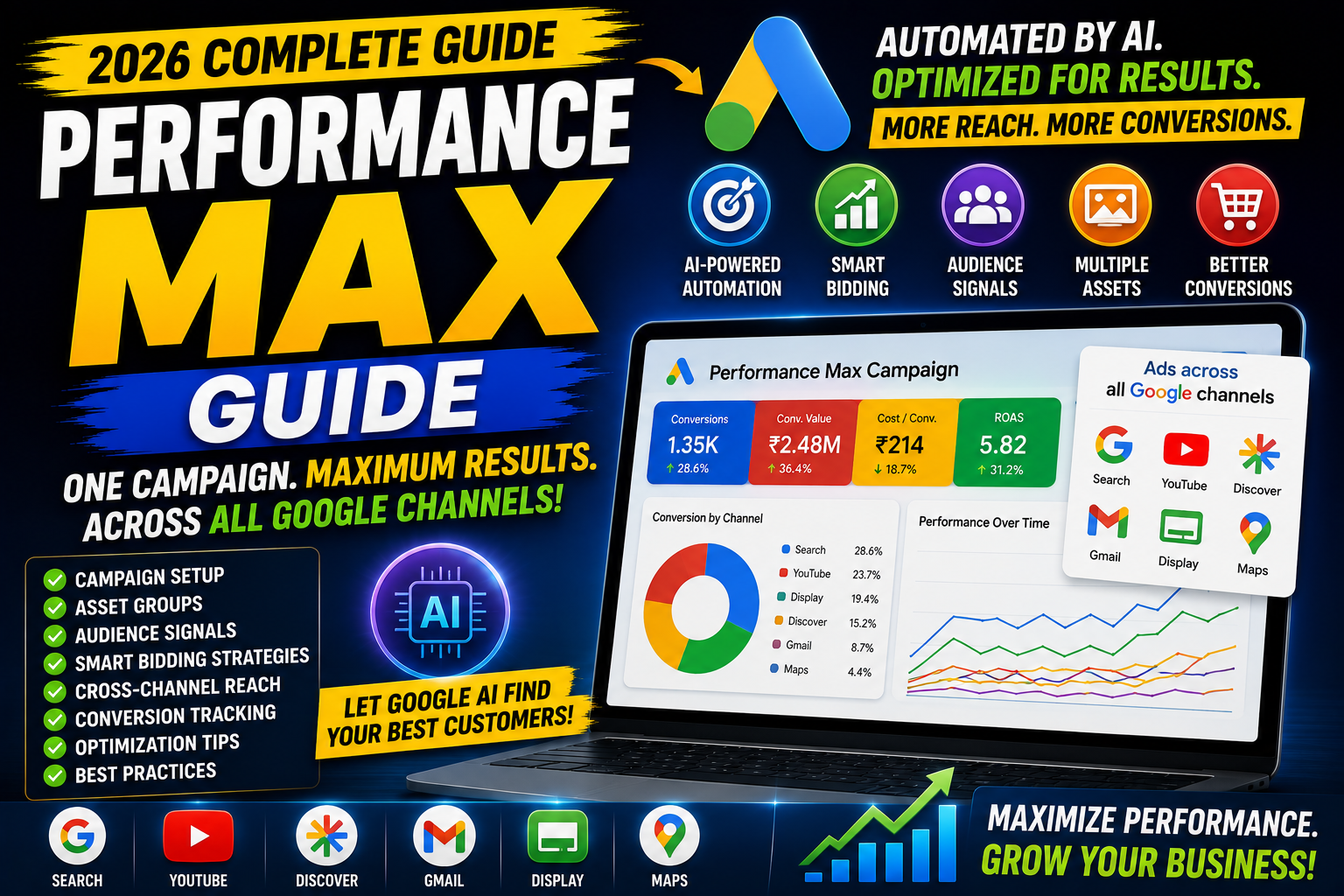
Today, businesses can reach customers across Search, YouTube, Display, Discover, Gmail, Google Maps, and the Google Display Network using a single campaign type known as Performance Max (PMax).
Instead of creating separate campaigns for every Google channel, Performance Max uses Google's AI to automatically find the best audience, placement, bid, and creative combination to help achieve your advertising goals.
Whether you're an eCommerce store, local business, SaaS company, agency, or service provider, Performance Max can help maximize conversions by using automation and machine learning.
In this complete guide, you'll learn what Performance Max is, how it works, campaign setup, asset groups, audience signals, bidding strategies, optimization techniques, common mistakes, and best practices for 2026.
What is Performance Max?
Performance Max (PMax) is a goal-based Google Ads campaign type that allows advertisers to run ads across all Google inventory from a single campaign.
Your ads can appear on:
Google Search
Google Shopping
YouTube
Gmail
Google Discover
Google Maps
Google Display Network
Instead of manually choosing where ads appear, Google's AI determines the best placements based on your goals and available signals.
How Performance Max Works
Performance Max combines:
Machine learning
Audience signals
Creative assets
Conversion tracking
Smart bidding
The system automatically decides:
Which audience to target
Which ad creative to show
Which placement to use
How much to bid
When to display the ad
The objective is to maximize performance based on your selected campaign goal.
Why Use Performance Max?
Performance Max offers several advantages:
Reach customers across all Google channels
AI-powered campaign optimization
Automated bidding
Smart audience expansion
Cross-channel reporting
Dynamic creative combinations
Better scalability
Simplified campaign management
It works particularly well for businesses with strong conversion tracking and high-quality creative assets.
Performance Max vs Search Campaign
| Search Campaign | Performance Max |
|---|---|
| Search only | All Google channels |
| Keyword-based | Audience & intent signals |
| Manual campaign structure | AI-driven automation |
| Text ads | Multiple creative formats |
| Greater manual control | Greater automation |
Search Campaigns remain valuable for capturing high-intent keyword traffic, while Performance Max expands reach across Google's ecosystem.
Performance Max vs Display Campaign
| Display Campaign | Performance Max |
|---|---|
| Display Network only | All Google inventory |
| Audience & placements | AI-driven placements |
| Manual targeting | Automated expansion |
| Banner-focused | Multi-format creatives |
Performance Max provides broader coverage than Display Campaigns.
Who Should Use Performance Max?
Performance Max is suitable for:
E-commerce stores
Local businesses
Service providers
Agencies
SaaS companies
Online education platforms
Lead generation businesses
It is most effective when accurate conversion tracking is already in place.
Before Creating a Performance Max Campaign
Complete these steps first:
✅ Google Ads account
✅ Google Analytics 4
✅ Conversion Tracking
✅ Google Tag Manager (recommended)
✅ Linked Google Ads & GA4
✅ Product Feed (for Shopping campaigns)
Without reliable conversion tracking, Google's automation has limited data for optimization.
Step 1: Choose Your Campaign Goal
Common goals include:
Sales
Leads
Website Traffic
Local Store Visits
Product Purchases
Choose the objective that best matches your business outcome.
Step 2: Select Performance Max
Inside Google Ads:
New Campaign
↓
Select Goal
↓
Performance Max
Step 3: Set Campaign Budget
Choose a realistic daily budget.
Example:
₹2,000/day
Allow sufficient budget for Google's AI to gather performance data.
Step 4: Choose a Bidding Strategy
Performance Max supports Smart Bidding.
Common options include:
Maximize Conversions
Best for lead generation campaigns.
Maximize Conversion Value
Ideal for eCommerce businesses where order value matters.
Target CPA
Useful after enough conversion history has been collected.
Target ROAS
Recommended for online stores with revenue tracking.
Choose the strategy that aligns with your campaign objective.
Step 5: Create Asset Groups
Asset Groups are a core part of Performance Max.
Each Asset Group should focus on one product category, service, or audience theme.
Example:
Campaign:
Digital Marketing
Asset Groups:
SEO Services
Google Ads
Meta Ads
Web Development
Keep assets closely related to improve relevance.
Step 6: Add Creative Assets
Performance Max combines different assets automatically.
Upload:
Headlines
Examples:
Grow Your Business Online
Increase Website Traffic
Expert Google Ads Services
Long Headlines
Provide more detailed messaging.
Descriptions
Highlight:
Benefits
Unique selling points
Call-to-action
Images
Use:
Landscape
Square
Portrait (where applicable)
Upload high-quality visuals with minimal text.
Logos
Provide both square and landscape versions.
Videos
Upload YouTube videos or allow Google to generate simple video ads if needed.
However, custom videos usually provide stronger branding.
Audience Signals
Audience Signals help Google's AI understand where to begin optimization.
Examples include:
Existing customers
Website visitors
Custom segments
In-market audiences
Interests
Customer Match lists
Audience Signals guide the learning process but do not strictly limit targeting.
Landing Pages
A dedicated landing page improves relevance and conversion rates.
Avoid sending all traffic to your homepage.
A good landing page includes:
Clear value proposition
Strong CTA
Mobile optimization
Fast loading speed
Trust signals
Simple navigation
Conversion Tracking
Performance Max depends heavily on conversion data.
Track actions such as:
Purchases
Lead form submissions
Phone calls
Newsletter sign-ups
Appointment bookings
Ensure conversions accurately reflect meaningful business outcomes.
Product Feed (For eCommerce)
If you're selling products, connect:
Google Merchant Center
↓
Product Feed
↓
Performance Max
A clean, optimized product feed improves Shopping performance within Performance Max.
Performance Max Optimization
Optimization doesn't stop after launching.
Review:
Asset performance
Search term insights
Audience insights
Conversion trends
Budget utilization
Landing page performance
Refresh creative assets regularly to avoid fatigue.
Asset Group Best Practices
Create separate Asset Groups for:
Product categories
Services
Business goals
Geographic regions
Promotions
Avoid combining unrelated products or services in a single Asset Group.
Creative Best Practices
Use:
High-quality images
Strong headlines
Clear CTA
Consistent branding
Professional logos
Short, benefit-focused descriptions
The more relevant your assets, the better Google's AI can build effective combinations.
Audience Insights
Performance Max provides insights into:
Top audience segments
Search themes
Customer interests
Conversion trends
Use these insights to refine creative assets and broader marketing strategies.
Search Themes
Search Themes help Google understand relevant search intent, especially for newer campaigns.
Examples:
Digital Marketing Agency
Google Ads Expert
SEO Company
Web Development Services
Search Themes complement—not replace—Google's AI targeting.
Common Performance Max Mistakes
Avoid these mistakes:
No conversion tracking
Low-quality images
Weak headlines
Mixing unrelated services in one Asset Group
Sending traffic to the homepage
Making major changes too frequently
Using very small budgets
Ignoring audience signals
Not reviewing insights
Performance Max Checklist
✅ Conversion tracking enabled
✅ Campaign goal selected
✅ Budget configured
✅ Smart bidding selected
✅ Asset Groups organized
✅ Headlines added
✅ Descriptions added
✅ Images uploaded
✅ Logos uploaded
✅ Videos added
✅ Audience Signals configured
✅ Landing pages optimized
✅ Product Feed connected (if applicable)
Performance Max vs Standard Shopping
| Standard Shopping | Performance Max |
|---|---|
| Shopping only | Multiple Google channels |
| More manual control | AI-driven automation |
| Product-focused | Products + other assets |
| Separate campaign management | Unified campaign |
Key Metrics to Monitor
Track:
Impressions
Clicks
CTR
CPC
Conversion Rate
Cost Per Conversion
Conversion Value
ROAS
Asset Performance
Audience Insights
Measure success based on business outcomes rather than traffic alone.
Best Practices for 2026
Ensure conversion tracking is accurate before launch.
Use high-quality images and videos.
Create focused Asset Groups.
Refresh creatives periodically.
Provide strong Audience Signals.
Avoid making frequent major edits during the learning phase.
Monitor performance trends over time rather than reacting to daily fluctuations.
Final Thoughts
Performance Max represents Google's AI-first approach to digital advertising.
It simplifies campaign management by combining multiple Google channels into one campaign while using machine learning to optimize bids, audiences, placements, and creatives.
However, automation does not replace strategy.
Success still depends on:
Clear business goals
Accurate conversion tracking
High-quality creative assets
Relevant landing pages
Ongoing optimization
Treat Google's AI as a powerful assistant—not a substitute for thoughtful campaign planning.
Frequently Asked Questions
1. What is Performance Max?
Performance Max is a Google Ads campaign type that uses AI to deliver ads across multiple Google channels from a single campaign.
2. Is Performance Max better than Search Campaigns?
Not necessarily. Search Campaigns excel at capturing explicit search intent, while Performance Max expands reach across Google's ecosystem. Many advertisers use both together.
3. What are Asset Groups?
Asset Groups are collections of headlines, descriptions, images, videos, logos, and audience signals centered around a specific product, service, or audience.
4. Does Performance Max require conversion tracking?
Yes. Reliable conversion tracking is essential for Google's automated bidding and optimization.
5. What are Audience Signals?
Audience Signals provide Google's AI with an initial understanding of relevant audiences, helping speed up the learning process.
6. Can I use Performance Max without Google Merchant Center?
Yes, if you're running lead generation or service-based campaigns. Merchant Center is mainly required for eCommerce product advertising.