Internal Linking Strategy (2026): Complete Guide to Boost SEO & User Experience
Introduction
Internal linking is one of the most powerful yet often overlooked SEO techniques. While many website owners focus on keywords and backlinks, a well-planned internal linking strategy helps search engines understand your website structure, distribute authority between pages, and guide users to relevant content.
Whether you run a blog, business website, eCommerce store, or portfolio, internal links improve navigation, increase page views, reduce bounce rates, and strengthen your overall SEO.
In this complete guide, you'll learn everything about internal linking—from the basics to advanced strategies used by successful websites.
What is Internal Linking?
Internal links are hyperlinks that connect one page of your website to another page on the same domain.
Example:
Blog A → Blog B
Home → Services
Category → Product
Guide → FAQ
Unlike external links, internal links keep users on your website and help search engines discover and understand your content.
Why is Internal Linking Important?
A strong internal linking strategy helps:
✅ Improve SEO Rankings
✅ Help Google Discover New Pages
✅ Distribute Link Equity (Page Authority)
✅ Increase Page Views
✅ Improve User Experience
✅ Reduce Bounce Rate
✅ Increase Time on Site
✅ Build Topical Authority
How Internal Links Work
Google uses internal links to:
Discover new pages
Understand page relationships
Identify important pages
Crawl websites more efficiently
Pages with more relevant internal links are generally considered more important within a site's structure.
Types of Internal Links
1. Navigational Links
Found in:
Header Menu
Footer
Sidebar
They help users move through your website.
2. Contextual Links
Links placed naturally within content.
Example:
While reading a guide on SEO, you link to your Keyword Research Guide or On-Page SEO Checklist.
These are often the most valuable internal links for SEO.
3. Breadcrumb Links
Example:
Home > SEO > On-Page SEO
They improve navigation and help search engines understand site hierarchy.
4. Related Posts
Displayed at the end of articles.
Example:
"You may also like..."
This encourages users to continue reading.
5. Category Links
Connect posts belonging to the same topic.
Example:
SEO Category
↓
On-Page SEO
↓
Technical SEO
↓
Off-Page SEO
Internal Links vs External Links
| Feature | Internal Links | External Links |
|---|---|---|
| Destination | Same Website | Different Website |
| SEO Benefit | Distributes authority internally | Provides references & credibility |
| User Navigation | Keeps users on your site | Sends users to another site |
Both are important, but they serve different purposes.
Best Anchor Text Practices
Anchor text is the clickable text in a link.
Good example:
Read our Keyword Research Guide
Poor example:
Click Here
Use descriptive anchor text that tells users and search engines what to expect.
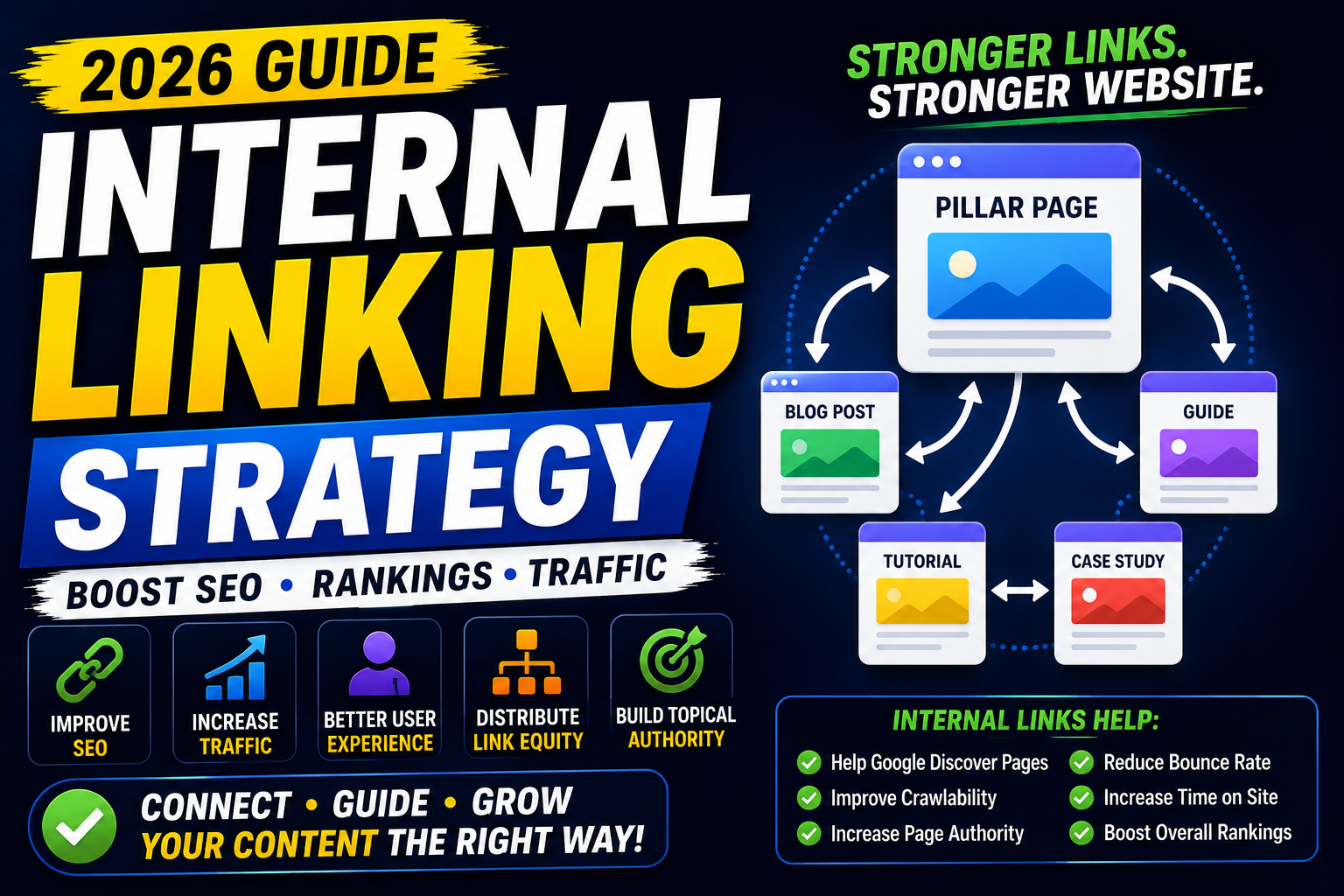
Building Topic Clusters
One of the best internal linking strategies is creating topic clusters.
Example:
Pillar Page
Complete SEO Guide
↓
Links to:
What is SEO?
Keyword Research Guide
On-Page SEO
Technical SEO
Off-Page SEO
Google Search Console Guide
Google Analytics 4 Guide
Best SEO Tools
Rank Math Guide
Each supporting article links back to the pillar page, creating a strong topical network.
Link Your High-Authority Pages
Identify pages that already receive:
High traffic
Strong backlinks
High rankings
Use these pages to link to newer or less authoritative content and help it get discovered faster.
Orphan Pages
An orphan page has no internal links pointing to it.
Problems:
Hard for Google to discover
Weak SEO performance
Poor user navigation
Regularly audit your site to ensure every important page has at least one relevant internal link.
How Many Internal Links Should You Add?
There is no fixed number.
Focus on adding natural, relevant links that genuinely help the reader.
For long-form guides (2,000–4,000 words), several well-placed internal links are common and often beneficial.
Avoid adding links just for the sake of increasing the count.
Best Places to Add Internal Links
✔ Introduction
✔ Body Content
✔ Related Sections
✔ Conclusion
✔ Sidebar
✔ Footer
✔ Related Posts Section
Internal Linking for Blogs
Every new article should link to:
Older relevant posts
Category pages
Pillar content
Important guides
Likewise, update older articles to link to newly published content whenever relevant.
Internal Linking for E-commerce
Examples:
Product →
Category
↓
Related Products
↓
Buying Guides
↓
FAQs
↓
Shipping Policy
↓
Return Policy
This improves navigation and supports conversions.
Internal Linking for Service Websites
Connect:
Home
↓
Services
↓
Portfolio
↓
Testimonials
↓
Contact Page
↓
Blog
This helps users move naturally through your sales funnel.
Common Internal Linking Mistakes
Avoid:
❌ Using "Click Here" as anchor text
❌ Linking unrelated pages
❌ Creating orphan pages
❌ Overloading a page with unnecessary links
❌ Using broken internal links
❌ Ignoring older content
❌ Creating long redirect chains
Internal Linking & SEO
Internal linking helps improve:
Crawlability
Indexing
User Experience
Page Authority Distribution
Keyword Relevance
Topical Authority
It is a core component of a strong SEO strategy.
Internal Linking Tools
Helpful tools include:
Google Search Console
Screaming Frog SEO Spider
Ahrefs
Semrush
Rank Math SEO
Yoast SEO
These tools can help identify orphan pages, broken links, and linking opportunities.
AI for Internal Linking
AI can assist by:
Suggesting related articles
Recommending anchor text
Identifying content clusters
Finding linking opportunities
Building topical maps
Useful AI tools:
ChatGPT
Google Gemini
Claude AI
Always review AI suggestions to ensure the links are relevant and helpful.
Best Practices
✔ Link to relevant content
✔ Use descriptive anchor text
✔ Build topic clusters
✔ Update old articles regularly
✔ Fix broken internal links
✔ Prioritize user experience
✔ Keep website structure organized
✔ Link to important pages consistently
Final Thoughts
Internal linking is one of the easiest and most effective ways to strengthen your website's SEO without creating new content.
A thoughtful linking strategy helps search engines understand your website, improves user navigation, distributes authority across important pages, and supports long-term organic growth.
Instead of treating internal links as an afterthought, make them part of your publishing workflow. Every new article should both link to existing relevant content and become part of your site's larger content ecosystem.
Frequently Asked Questions (FAQs)
1. What is an internal link?
An internal link is a hyperlink that connects one page of your website to another page on the same domain.
2. Why are internal links important for SEO?
They help search engines discover pages, understand site structure, distribute authority, improve crawlability, and enhance user navigation.
3. How many internal links should I add to a page?
There is no ideal number. Add as many relevant links as needed to help readers navigate naturally without making the page feel cluttered.
4. What is anchor text?
Anchor text is the clickable text of a hyperlink. Descriptive anchor text helps both users and search engines understand the linked page.
5. What are orphan pages?
Orphan pages are pages with no internal links pointing to them, making them harder for users and search engines to discover.
6. Can internal linking improve rankings?
Internal linking alone won't guarantee higher rankings, but it can significantly improve crawlability, topical relevance, user engagement, and the visibility of important pages.