Image SEO Guide 2026: Complete Guide to Optimizing Images for Higher Google Rankings
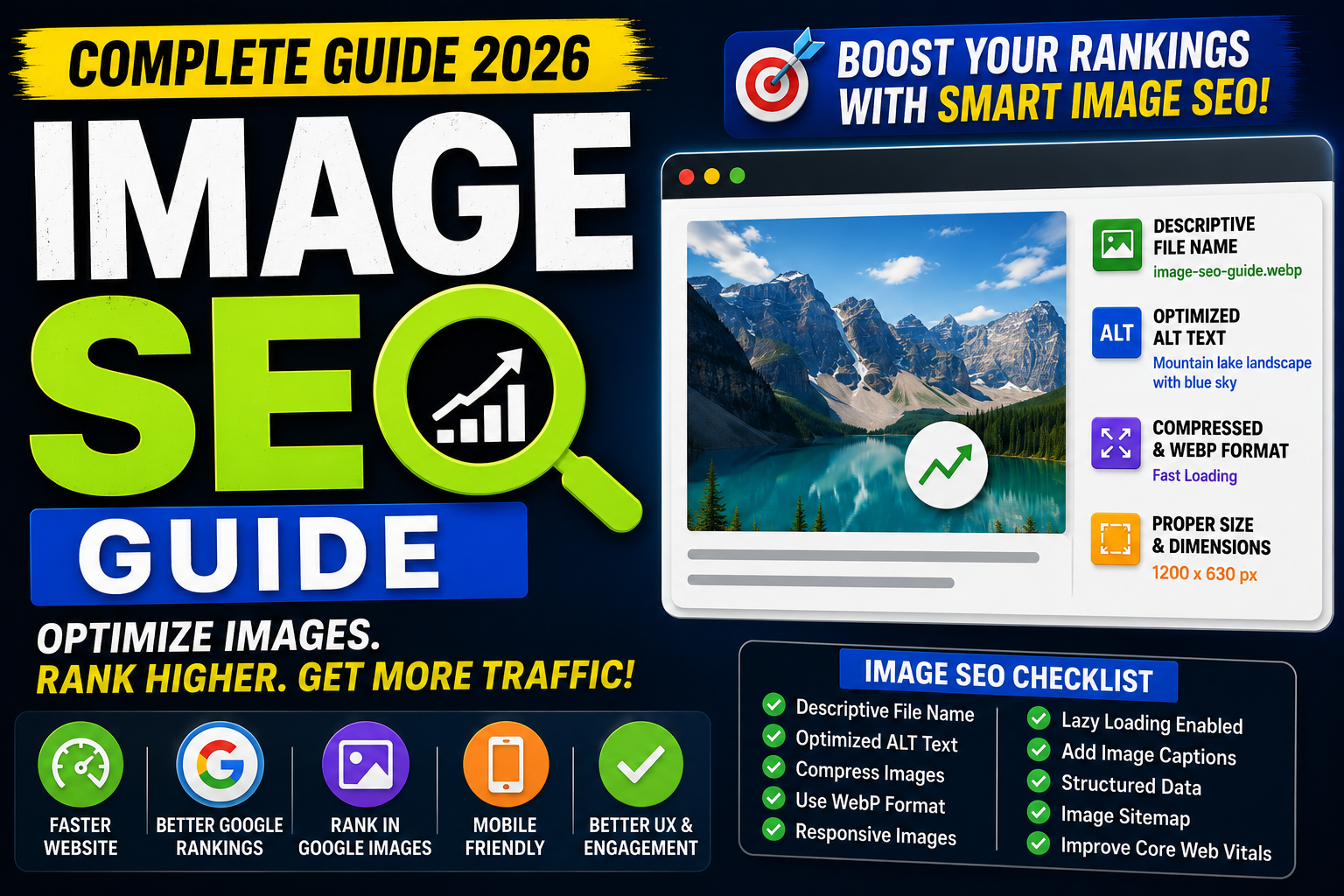
Images make websites more engaging, improve user experience, and help explain complex information visually. However, simply uploading an image isn't enough. Without proper optimization, images can slow down your website, reduce search rankings, and miss valuable traffic from Google Images.
Image SEO is the process of optimizing images so search engines can understand, index, and rank them effectively. Well-optimized images can improve page speed, accessibility, user experience, and even drive additional organic traffic.
In this complete Image SEO guide, you'll learn everything from image formats and file names to ALT text, structured data, Core Web Vitals, and advanced optimization techniques.
What is Image SEO?
Image SEO is the practice of optimizing images so they can:
Rank in Google Images
Improve page speed
Enhance accessibility
Support overall SEO
Increase organic traffic
Improve user experience
Search engines cannot "see" images like humans. Instead, they rely on filenames, ALT text, surrounding content, structured data, and technical signals to understand an image.
Why Image SEO Matters
Proper image optimization helps you:
Improve Google rankings
Drive traffic from Google Images
Reduce page load time
Improve Core Web Vitals
Enhance accessibility
Increase user engagement
Improve mobile experience
Reduce bandwidth usage
How Google Understands Images
Google uses multiple signals to understand images:
File name
ALT text
Page content
Image captions
Structured data
Image sitemap
Surrounding headings
Internal linking
The more context you provide, the better Google understands your images.
Choose the Right Image Format
Different image formats serve different purposes.
JPEG (.jpg)
Best for:
Blog images
Photos
Landscapes
Product images
Advantages:
Small file size
Good quality
Fast loading
PNG
Best for:
Logos
Icons
Graphics
Transparent backgrounds
Advantages:
High quality
Supports transparency
WebP
Best for:
Modern websites
Blogs
E-commerce
Landing pages
Advantages:
Smaller than JPG and PNG
Excellent quality
Faster loading
Google recommends WebP whenever possible.
AVIF
Newest image format with excellent compression.
Advantages:
Smaller than WebP
Better quality
Excellent performance
SVG
Best for:
Logos
Icons
Illustrations
Advantages:
Scalable
Lightweight
Retina-friendly
Use Descriptive File Names
Bad:
IMG12345.jpg
Good:
image-seo-guide-2026.webp
Use keywords naturally in file names.
Optimize ALT Text
ALT text describes an image for search engines and screen readers.
Bad:
image
Good:
Image showing an SEO dashboard with optimized website analytics.
Best practices:
Be descriptive
Keep it concise
Include keywords naturally
Avoid keyword stuffing
Compress Images
Large images slow down websites.
Use tools such as:
TinyPNG
Squoosh
ImageOptim
ShortPixel
Compression reduces file size without significantly affecting quality.
Resize Images Properly
Avoid uploading a 4000px image if it's displayed at 800px.
Resize images before uploading.
Benefits:
Faster loading
Better Core Web Vitals
Lower bandwidth usage
Use Responsive Images
Responsive images adapt to different screen sizes.
Example:
<img
  src="image.webp"
  srcset="image-480.webp 480w,
          image-768.webp 768w,
          image-1200.webp 1200w"
  sizes="(max-width:768px) 100vw, 1200px"
  alt="Image SEO Guide">
This improves loading speed across devices.
Enable Lazy Loading
Lazy loading loads images only when users scroll near them.
Example:
<img loading="lazy" src="image.webp" alt="Image SEO">
Benefits:
Faster initial load
Better user experience
Improved Largest Contentful Paint (LCP)
Add Image Captions
Captions provide additional context for users and search engines.
Example:
"Optimized WebP image improving page speed and SEO performance."
Optimize Image Dimensions
Always match image dimensions to their display size.
Avoid scaling oversized images with CSS alone.
Create an Image Sitemap
An image sitemap helps Google discover important images.
Benefits:
Better indexing
Faster discovery
Increased Google Images visibility
Use Structured Data
Schema helps Google understand image context.
Useful schema types:
Article
Product
Recipe
Organization
NewsArticle
Structured data can improve rich results.
Improve Core Web Vitals
Images heavily affect:
Largest Contentful Paint (LCP)
Optimize:
Compression
WebP
Lazy loading
CDN
Cumulative Layout Shift (CLS)
Always specify:
width=""
height=""
This prevents layout shifts.
Interaction to Next Paint (INP)
Reduce JavaScript blocking image rendering.
Use Content Delivery Networks (CDNs)
Popular CDNs:
Cloudinary
Cloudflare Images
Bunny CDN
ImageKit
Fastly
Benefits:
Faster loading
Global delivery
Automatic optimization
Optimize Featured Images
Your featured image should:
Match the article topic
Use descriptive filenames
Include ALT text
Be compressed
Use WebP
Maintain high quality
Best Image Sizes
Blog Featured Image:
1200 × 630 px
Pinterest:
1000 × 1500 px
LinkedIn:
1200 × 627 px
Twitter/X:
1600 × 900 px
Website Banner:
1920 × 800 px
Thumbnail:
1280 × 720 px
Image SEO for E-commerce
Each product image should include:
Descriptive filename
ALT text
Product schema
High-quality WebP image
Multiple angles
Optimized size
Common Image SEO Mistakes
Avoid:
Uploading huge images
Generic filenames
Missing ALT text
Keyword stuffing
No lazy loading
Using only PNG for photos
Ignoring mobile optimization
Missing image sitemap
No compression
Duplicate images
Best Image SEO Tools
Recommended tools:
Google PageSpeed Insights
Lighthouse
TinyPNG
Squoosh
Cloudinary
ImageOptim
ShortPixel
ImageKit
Canva
Photoshop
Image SEO Checklist
Before publishing:
✅ Descriptive filename
✅ WebP or AVIF format
✅ Optimized dimensions
✅ Compressed image
✅ ALT text added
✅ Lazy loading enabled
✅ Width & height specified
✅ Relevant caption
✅ Responsive image
✅ Image sitemap updated
Image SEO Best Practices
Use modern formats
Compress every image
Write descriptive ALT text
Keep filenames readable
Use responsive images
Enable lazy loading
Optimize featured images
Improve Core Web Vitals
Add structured data
Test page speed regularly
Final Thoughts
Image SEO is far more than adding an ALT tag. It's about creating fast, accessible, high-quality visuals that improve user experience and help search engines understand your content.
By using modern image formats, compressing files, writing descriptive ALT text, enabling lazy loading, and following technical best practices, you can improve page speed, boost Google rankings, and attract additional traffic from Google Images.
Small improvements across every image can have a significant impact on your website's overall SEO performance.
Frequently Asked Questions (FAQs)
1. What is Image SEO?
Image SEO is the process of optimizing images so they rank better in search engines while improving website performance and accessibility.
2. Which image format is best for SEO?
WebP is currently one of the best formats because it offers excellent quality with smaller file sizes. AVIF is even more efficient where supported.
3. Is ALT text important?
Yes. ALT text improves accessibility and helps search engines understand image content.
4. Does image compression affect SEO?
Yes. Proper compression reduces page load time and improves Core Web Vitals, which can positively impact SEO.
5. Should every image have ALT text?
Yes, unless the image is purely decorative. Informative images should always include descriptive ALT text.
6. Can optimized images improve Google rankings?
Optimized images contribute to faster websites, better user experience, and increased visibility in Google Images, all of which support overall SEO.