Best Free AI Tools in 2026: 10 Tools for Productivity, Content, Design and Coding
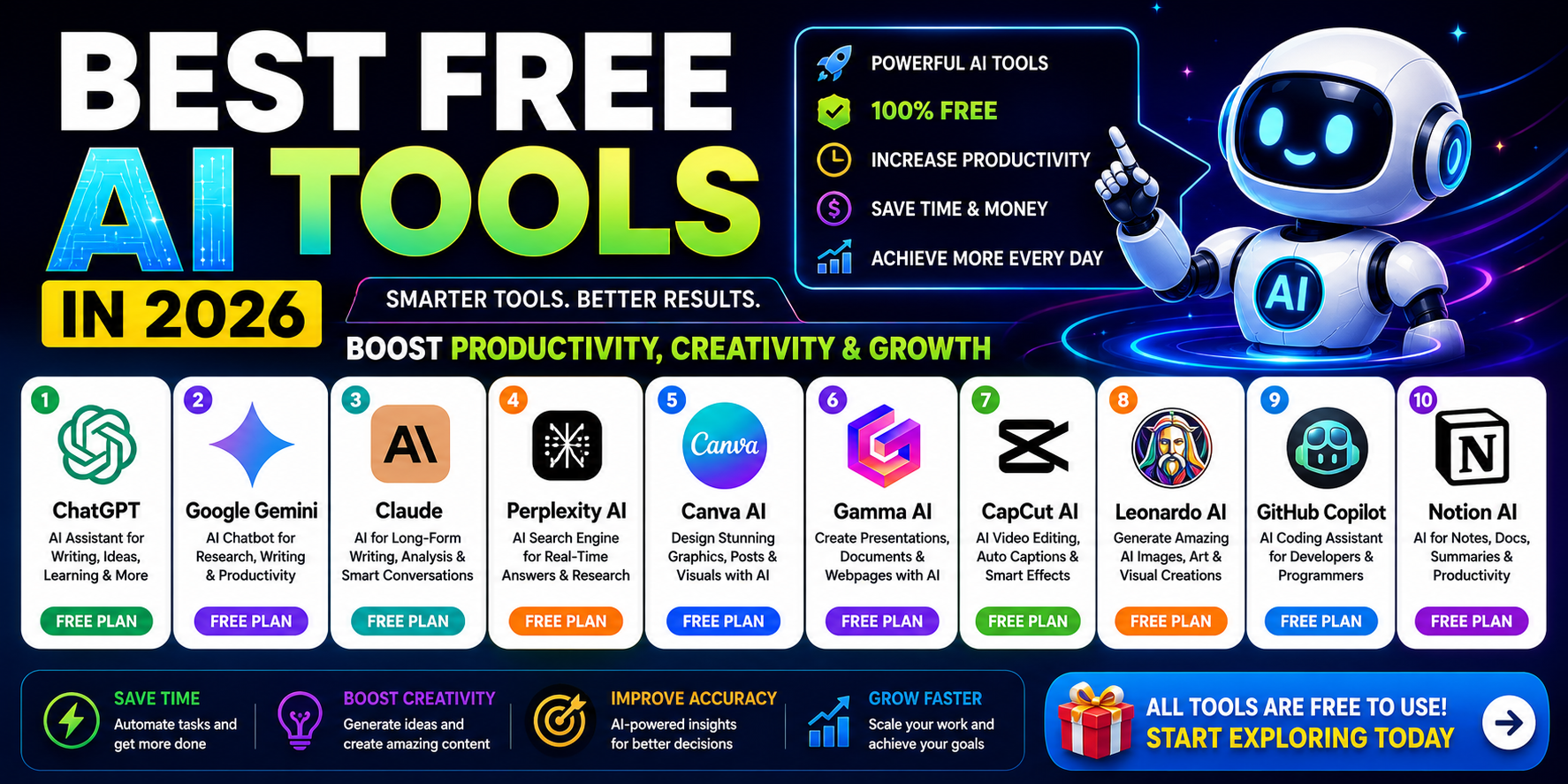
Artificial intelligence is making it easier to write content, create designs, edit videos, understand complex topics, write code and automate everyday tasks.
You no longer need an expensive subscription to start exploring AI. Many platforms offer free plans, free usage limits or basic features that are useful for students, freelancers, creators, developers and businesses.
But there is one important difference: free access does not always mean unlimited access. Some tools limit messages, AI credits, generations, exports or advanced features.
In this guide, we'll explore 10 of the best free AI tools in 2026, what you can actually use them for, their advantages and limitations, and how to build a useful AI toolkit without purchasing multiple subscriptions.
Quick Comparison: Best Free AI Tools in 2026
| Tool | Best For | Free Access |
|---|---|---|
| ChatGPT | Writing, learning and everyday productivity | Free plan with limits |
| Google Gemini | Research and general AI assistance | Free plan |
| Claude | Writing and document analysis | Free plan with limits |
| Perplexity AI | Web research and source discovery | Free plan with limits |
| Canva AI | Graphic design and social media | Free plan with limited AI usage |
| Gamma | AI presentations and documents | Free credits |
| CapCut | Video editing and short-form content | Free basic editor |
| Leonardo AI | AI image generation | Free access subject to limits |
| GitHub Copilot | AI-assisted coding | Free plan with usage limits |
| Google NotebookLM | Research and document understanding | Free access with limits |
Free-plan features, credits and usage limits can change. Check each platform's official pricing page before relying on a specific feature.
How We Selected These Free AI Tools
Not every tool marketed as free provides meaningful free access.
For this guide, we considered:
Whether the platform provides a free plan, free credits or a free starting option.
The main tasks it can help users complete.
Its usefulness for beginners and everyday workflows.
The availability of practical features without immediately purchasing a subscription.
Important limitations users should understand.
This is an editorial feature comparison, not a controlled performance benchmark. We have not claimed that every tool was tested under identical conditions.
1. ChatGPT – Best Overall Free AI Assistant
Best for: Students, freelancers, marketers, developers and everyday users.
ChatGPT is a versatile AI assistant that can help with writing, brainstorming, learning, coding, research and problem-solving.
You can ask questions in natural language, request explanations, analyse supported files and use available tools depending on your plan and current usage limits.
What Can You Do With ChatGPT?
Write and improve articles.
Generate content ideas and outlines.
Understand difficult concepts.
Debug and explain code.
Create marketing strategies.
Summarise information.
Analyse supported documents.
Brainstorm business and project ideas.
Advantages
Supports a wide variety of tasks.
Beginner-friendly conversational interface.
Useful for both personal and professional work.
Free access is available.
Limitations
Some advanced models and tools have usage limits.
AI-generated answers can contain mistakes.
Important facts and references need verification.
Example Prompt
"Create a 30-day content calendar for an Instagram page about AI tools, SEO and digital marketing. Include topics, hooks and post formats."
Verdict: A strong starting point if you want one AI assistant for multiple everyday tasks.
Official website: https://chatgpt.com/
Official plan details: https://chatgpt.com/pricing/
2. Google Gemini – Best Free AI Assistant for Google Users
Best for: Students, professionals, Android users and people working with Google's ecosystem.
Google Gemini is an AI assistant that helps users understand information, generate content, explore ideas and complete everyday tasks.
It can be useful for researching topics, brainstorming, summarising information and working with supported Google services.
What Can You Do With Gemini?
Generate content ideas.
Explain complicated topics.
Summarise information.
Assist with research.
Help with writing and brainstorming.
Explore image-generation capabilities.
Work with supported Google ecosystem features.
Advantages
Free access with a Google Account.
Useful for everyday productivity.
Supports different types of AI-assisted tasks.
Convenient for users already using Google services.
Limitations
Advanced model access and usage limits vary by plan.
Generated information should be verified.
Some features may not be available in every region or account.
Example Prompt
"Explain technical SEO to a beginner using practical examples from a Blogger website."
Verdict: A useful free AI assistant for learning, research and productivity, especially if you already use Google services.
Official website: https://gemini.google.com/
Official plans: https://gemini.google/in/subscriptions/
3. Claude – Best for Long-Form Writing and Document Analysis
Best for: Writers, researchers, students and professionals.
Claude is an AI assistant developed by Anthropic. It can help users write, analyse documents, understand complex information, brainstorm and work with code.
It is particularly useful for people who want to explore long-form writing and structured explanations.
What Can You Do With Claude?
Draft articles and reports.
Improve existing content.
Summarise documents.
Analyse complex information.
Generate and explain code.
Brainstorm creative ideas.
Organise business information.
Advantages
Useful for detailed writing tasks.
Supports document-based workflows.
Can assist with technical explanations.
Offers a free plan.
Limitations
Free usage is limited and can vary.
Advanced features depend on the subscription.
Generated content still requires human editing and verification.
Example Prompt
"Review this article outline and identify missing sections, weak explanations and opportunities to improve its usefulness for beginners."
Verdict: Worth exploring if your work involves long articles, reports, document analysis or detailed explanations.
Official website: https://claude.ai/
Official plans: https://claude.com/pricing
4. Perplexity AI – Best for Research and Source Discovery
Best for: Students, researchers, content creators and professionals.
Perplexity AI is an AI-powered search platform that helps users investigate questions and discover information from online sources.
Unlike a conventional chatbot that may provide an answer without obvious source links, Perplexity focuses on providing citations that users can inspect.
What Can You Do With Perplexity?
Research current topics.
Discover relevant websites.
Explore industry trends.
Find supporting references.
Compare information from multiple sources.
Ask follow-up research questions.
Advantages
Useful for discovering online sources.
Provides source references with answers.
Helps explore unfamiliar topics.
Offers a free plan for basic research.
Limitations
Advanced searches have usage limits.
Sources are not automatically trustworthy.
Some information may be outdated or incomplete.
Example Prompt
"Research the latest developments in AI-powered SEO. Separate confirmed Google announcements from industry predictions and include original source links."
Verdict: A useful research companion when you want to investigate a topic and inspect its sources.
Official website: https://www.perplexity.ai/
Official plan details: https://www.perplexity.ai/help-center/
5. Canva AI – Best for Graphic Design and Social Media Creatives
Best for: Social media managers, designers, marketers, bloggers and content creators.
Canva is an online design platform with AI-assisted features that help users create graphics, presentations, social media posts and other visual content.
You don't need advanced graphic design skills to start creating professional-looking designs.
What Can You Create With Canva?
Instagram posts and stories.
LinkedIn graphics.
YouTube thumbnails.
Presentations.
Posters and banners.
Marketing creatives.
Visual content for blogs.
Advantages
Beginner-friendly design editor.
Large template library.
Useful for social media workflows.
Free plan available.
Includes a selection of AI-assisted features.
Limitations
Some templates, assets and AI features require paid access.
Free AI usage is limited.
Commercial usage rights depend on the asset and applicable licence.
Example Prompt
"Create a clean, professional Instagram carousel about five practical AI tools for small businesses. Use a light theme, simple typography and minimal text."
Verdict: A great starting point for people who regularly create social media posts, presentations and marketing graphics.
Official website: https://www.canva.com/
Official pricing: https://www.canva.com/en_in/pricing/
6. Gamma – Best for AI Presentations and Documents
Best for: Students, professionals, entrepreneurs and marketing teams.
Gamma is an AI-powered platform for creating presentations, documents and visual content.
It can help transform an outline or prompt into a structured presentation, reducing the time needed to build slides manually.
What Can You Create With Gamma?
Business presentations.
Project proposals.
Educational presentations.
Reports and documents.
Pitch decks.
Visual explanations.
Advantages
Helps generate presentation structures.
Useful for turning ideas into slides.
Supports different export formats.
Free starting credits are available.
Limitations
Free credits are limited.
Some customisation features require paid plans.
AI-generated slides may need manual design improvements.
Example Prompt
"Create a 10-slide presentation explaining how SEO works in 2026. Include crawling, indexing, ranking, technical SEO and content quality."
Verdict: Explore Gamma if you frequently create presentations and want to speed up the initial design process.
Official website: https://gamma.app/
Official pricing: https://gamma.app/pricing
7. CapCut – Best for Video Editing and Short-Form Content
Best for: YouTubers, Instagram creators, video editors and social media managers.
CapCut is a video editing platform with tools for creating and editing short-form and long-form videos.
It is particularly useful for creators working on Instagram Reels, YouTube Shorts and other social video formats.
What Can You Do With CapCut?
Edit videos.
Add captions and subtitles.
Create short-form videos.
Apply transitions and effects.
Add music and audio.
Use available AI-assisted editing features.
Create social media content.
Advantages
Beginner-friendly editing experience.
Useful for short-form video workflows.
Free basic editing tools and templates.
Available across supported devices and platforms.
Limitations
Some effects, templates and AI features are paid.
AI credits and export capabilities can vary.
Some premium assets may affect watermark-free export.
Example Workflow
Import your video.
Cut unnecessary sections.
Add captions.
Improve audio.
Add transitions and effects.
Export using the available settings.
Verdict: A practical option for creators who want to edit videos without immediately purchasing professional editing software.
Official website: https://www.capcut.com/
Official pricing: https://www.capcut.com/pricing/
8. Leonardo AI – Best for AI Image Generation
Best for: Designers, digital artists, marketers and content creators.
Leonardo AI is an AI-powered creative platform that helps users generate images and visual assets using text prompts and other supported inputs.
It can be useful when you need original visual concepts for creative projects.
What Can You Create With Leonardo AI?
Digital artwork.
Concept illustrations.
Creative backgrounds.
Character concepts.
Marketing visuals.
Product-style images.
Social media graphics.
Advantages
Designed for AI-powered visual creation.
Useful for exploring different creative directions.
Offers image-generation workflows.
Provides free access subject to account limits.
Limitations
Free generations and tokens are limited.
Results can require multiple prompt adjustments.
Commercial rights and privacy settings depend on the platform's current terms and plan.
Example Prompt
"Create a clean, futuristic technology illustration showing AI-powered productivity tools on a bright white background, professional editorial style, minimal composition."
Verdict: Worth exploring if you need AI-generated visuals and creative concepts.
Official website: https://leonardo.ai/
9. GitHub Copilot – Best for AI-Assisted Coding
Best for: Developers, programmers, students and people learning software development.
GitHub Copilot is an AI coding assistant that helps developers write, understand and improve code.
It integrates with supported development environments and can suggest code while you work.
What Can You Do With GitHub Copilot?
Generate code suggestions.
Understand unfamiliar code.
Write functions.
Find and fix bugs.
Improve existing code.
Explore coding solutions.
Get help with development tasks.
Advantages
Useful inside coding workflows.
Supports multiple programming languages.
Helps reduce repetitive coding work.
Offers a free plan with usage limits.
Limitations
Free usage is limited.
Generated code may contain bugs or security issues.
Developers should review and test all suggestions.
Example Prompt
"Create a responsive navigation bar using HTML, CSS and JavaScript with a mobile hamburger menu and accessible keyboard navigation."
Verdict: A useful tool for developers who want AI assistance directly in their coding workflow.
Official website: https://github.com/features/copilot
Official plans: https://github.com/features/copilot/plans
10. Google NotebookLM – Best for Research and Understanding Documents
Best for: Students, researchers, teachers and professionals.
NotebookLM is an AI-powered research assistant designed to help users understand and work with their own sources.
You can add supported documents and other source material, then ask questions based on the information you provide.
It is particularly useful when working with long reports, PDFs, notes and study materials.
What Can You Do With NotebookLM?
Summarise research documents.
Ask questions about uploaded sources.
Understand long reports.
Organise research material.
Generate study assistance.
Explore supported Audio Overview features.
Advantages
Useful for source-based research.
Helps understand large amounts of information.
Makes document exploration easier.
Offers free access with usage limits.
Limitations
Results depend on the quality of your sources.
It may miss important context.
Not a replacement for independently verifying original research.
Example Prompt
"Summarise this research paper. Explain its research question, methodology, key findings, limitations and practical implications."
Verdict: A useful option for students and professionals who regularly work with documents and research material.
Official website: https://notebooklm.google.com/
Best Free AI Tools by Category
You don't need to use every AI tool. Start by identifying your main requirement.
| Category | Recommended Tool |
|---|---|
| Everyday AI assistance | ChatGPT |
| Learning and explanations | Gemini |
| Long-form writing | Claude |
| Web research | Perplexity |
| Graphic design | Canva |
| Presentations | Gamma |
| Video editing | CapCut |
| AI image generation | Leonardo AI |
| Coding assistance | GitHub Copilot |
| Document research | NotebookLM |
Best Free AI Tools for Students
Students can use AI tools to understand concepts, organise study materials and improve learning workflows.
Recommended options:
ChatGPT: Understand difficult topics and generate practice questions.
Gemini: Explore topics and get explanations.
NotebookLM: Ask questions about your notes and study documents.
Perplexity: Discover sources for initial research.
Gamma: Create educational presentations.
Important: Follow your institution's academic integrity rules. Use AI to support learning rather than submitting unverified AI-generated work as your own.
Best Free AI Tools for Content Creators
Content creators often need multiple tools for writing, graphics and video production.
A simple toolkit could include:
ChatGPT for ideas, outlines and writing assistance.
Claude for reviewing long-form content.
Canva for social media graphics.
CapCut for video editing.
Leonardo AI for creative image concepts.
Perplexity for research and source discovery.
This combination can support a complete content workflow without requiring multiple paid subscriptions.
Best Free AI Tools for Digital Marketers
Digital marketers can use AI tools for research, campaign planning, content creation and creative production.
| Marketing Task | Useful Tool |
|---|---|
| Content ideas | ChatGPT |
| Competitor and topic research | Perplexity |
| SEO content planning | ChatGPT and Gemini |
| Social media creatives | Canva |
| Video advertisements | CapCut |
| Presentation and reporting | Gamma |
| Research documents | NotebookLM |
Remember that AI tools do not replace keyword research platforms, analytics systems, campaign tracking or real customer insights. Use them alongside reliable marketing data.
Best Free AI Tools for Developers
Developers can use AI to speed up repetitive coding tasks and explore unfamiliar technologies.
Useful tools include:
GitHub Copilot: Code suggestions and development assistance.
ChatGPT: Debugging explanations, architecture discussions and code examples.
Claude: Code analysis and technical documentation.
Gemini: Programming explanations and problem-solving.
AI-generated code should always be reviewed, tested and checked for security before being deployed.
How to Choose the Right Free AI Tool
Before signing up for another AI platform, ask yourself five questions.
1. What Problem Am I Trying to Solve?
Do you need writing assistance, research, image generation, video editing or coding?
Choose a tool that solves that specific problem.
2. Does the Free Plan Include the Feature I Need?
Some platforms provide free basic features while keeping advanced functionality behind a subscription.
Check the plan details before building your workflow around a feature.
3. Are There Usage Limits?
Look for:
Daily or monthly message limits.
AI credits.
File upload limits.
Export restrictions.
Watermarks.
Model access restrictions.
4. Is the Tool Suitable for My Workflow?
A tool can be powerful but still unsuitable for your needs.
For example, a video editor is not a replacement for a research assistant.
5. Can I Trust the Output?
Check important facts, references, generated code and commercial-use restrictions before using the output.
How to Build a Free AI Toolkit Without Spending Money
You do not need ten subscriptions to become productive with AI.
Start with a small combination of tools.
Beginner Toolkit
ChatGPT for general assistance.
Gemini for additional research and explanations.
Canva for simple graphics.
Content Creator Toolkit
ChatGPT for planning.
Claude for writing assistance.
Canva for designs.
CapCut for videos.
Developer Toolkit
GitHub Copilot for coding assistance.
ChatGPT for explanations.
Claude for code review and documentation.
Student Toolkit
NotebookLM for study documents.
Perplexity for source discovery.
ChatGPT or Gemini for explanations.
Gamma for presentations.
My suggestion: Begin with two or three tools. Learn their strengths and limitations before adding more.
Are Free AI Tools Really Free?
This is one of the most important questions to understand before choosing an AI platform.
There are several different types of free access.
1. Free Forever Plan
The platform offers a free plan that can be used without purchasing a subscription, subject to its terms and limits.
2. Free Usage Credits
The platform gives you a certain amount of credits to try its features. Once you use them, you may need to wait or purchase more.
3. Free Trial
A paid feature is available temporarily. Continued access may require a subscription.
4. Limited Free Features
Basic functionality is free, but advanced features require payment.
For example, ChatGPT offers free access with limits on selected tools, while Canva provides a free plan with a limited AI allowance. Gamma offers free signup credits, and Notion AI provides trial usage rather than unlimited AI responses on its free plan.
Always distinguish between these access types before describing a product as free.
Common Mistakes to Avoid When Using AI Tools
1. Trusting Every AI Answer
AI systems can produce inaccurate information. Verify important claims using reliable sources.
2. Subscribing to Too Many Platforms
Start with free access and upgrade only when a specific limitation affects your work.
3. Ignoring Privacy
Avoid uploading sensitive personal information, confidential business files or private customer data without checking the platform's privacy terms.
4. Using AI Without Human Review
AI-generated writing, images and code should be reviewed before publishing or deploying.
5. Expecting Every Feature to Be Free
A free plan may not include advanced models, unlimited generations or premium exports.
6. Using Tools Without a Clear Goal
More tools do not automatically mean better productivity. Choose platforms based on actual tasks.
Frequently Asked Questions
1. What are the best free AI tools in 2026?
Some useful options include ChatGPT, Google Gemini, Claude, Perplexity, Canva, Gamma, CapCut, Leonardo AI, GitHub Copilot and NotebookLM. Each serves a different purpose and has different free-plan limitations.
2. Which AI tool is completely free?
Some platforms offer free plans, but many restrict usage, advanced models or specific features. It is better to check the exact free-plan conditions than assume a platform is unlimited.
3. Which is the best free AI tool for students?
NotebookLM is useful for understanding study documents, ChatGPT and Gemini help explain concepts, and Perplexity can help discover sources.
4. Which free AI tool is best for content writing?
ChatGPT, Gemini and Claude are useful for brainstorming, drafting and editing content. Always review AI-generated content for accuracy, originality and usefulness.
5. Which free AI tool is best for image generation?
Leonardo AI is worth exploring for AI-generated visual concepts. Other platforms may also provide limited image-generation access.
6. Which free AI tool is best for video editing?
CapCut is a useful starting point for video editing and short-form social media content. Some advanced features require payment.
7. Which free AI tool is best for coding?
GitHub Copilot offers a free plan for AI-assisted coding. ChatGPT and Claude can also help explain programming concepts and review code.
8. Can I use free AI tools for business?
Yes, but check each platform's commercial-use terms, data policies and licence conditions before using generated material in business projects.
9. Are free AI tools safe to use?
They can be useful, but safety depends on the platform and how you use it. Avoid sharing sensitive information and verify important outputs.
10. Do I need multiple AI tools?
No. One general-purpose assistant and one specialised tool may be enough for many users. Add more only when they solve a real problem.
Final Verdict: Which Free AI Tools Should You Start With?
The best AI toolkit is not necessarily the one with the most subscriptions. It is the one that helps you complete your work efficiently.
Here is a simple starting recommendation:
For everyday work: ChatGPT.
For Google ecosystem users: Gemini.
For long-form writing: Claude.
For research: Perplexity.
For graphic design: Canva.
For presentations: Gamma.
For video editing: CapCut.
For image generation: Leonardo AI.
For coding: GitHub Copilot.
For document research: NotebookLM.
Start with the free versions, understand their limits and upgrade only when you need additional capabilities.
Artificial intelligence is most valuable when it improves your skills, creativity and decision-making—not when you simply collect more tools.
Keep learning, keep experimenting and stay ahead with Decode With Jai.
Official Websites and Resources
Explore the official platforms to check their latest features, free access and subscription terms:
ChatGPT — https://chatgpt.com/
Google Gemini — https://gemini.google.com/
Claude — https://claude.ai/
Perplexity AI — https://www.perplexity.ai/
Canva — https://www.canva.com/
Gamma — https://gamma.app/
CapCut — https://www.capcut.com/
Leonardo AI — https://leonardo.ai/
GitHub Copilot — https://github.com/features/copilot
Google NotebookLM — https://notebooklm.google.com/
Disclaimer: Free-plan availability, usage limits, pricing, features and commercial-use permissions may change. Always refer to the official product terms and pricing pages for the latest information.