AI Workflow for Solopreneurs: How to Automate Your Business with AI in 2026
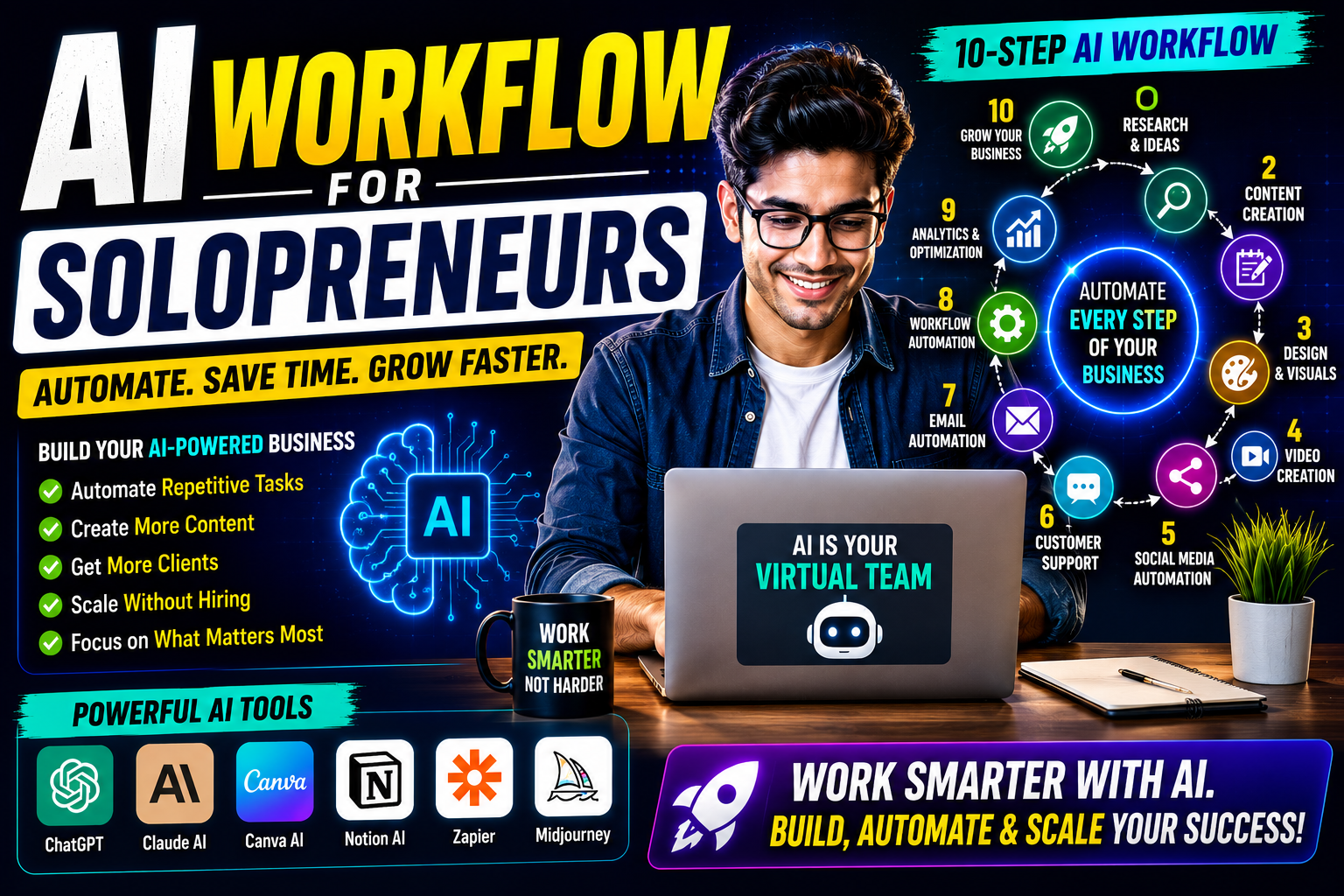
Introduction
Running a business alone is both exciting and challenging. As a solopreneur, you're responsible for marketing, sales, customer support, content creation, invoicing, project management, and business growth—all at the same time.
The good news?
Artificial Intelligence (AI) can act like a virtual team, helping you automate repetitive tasks, improve productivity, and scale your business without hiring a large workforce.
In this guide, you'll learn how to build an efficient AI workflow that saves time, reduces manual work, and allows you to focus on growing your business.
What is an AI Workflow?
An AI workflow is a sequence of automated tasks powered by Artificial Intelligence that helps complete business processes with minimal manual effort.
Instead of doing every task yourself, AI tools can assist with:
Content creation
Customer support
Email management
Social media scheduling
Lead generation
Proposal writing
Research
Analytics
Business automation
The goal is to help solopreneurs achieve more in less time.
Why Solopreneurs Need AI
Managing a business alone often means wearing multiple hats.
Common challenges include:
Limited time
Repetitive work
Client communication
Marketing consistency
Administrative tasks
AI helps by:
✅ Saving hours every week
✅ Improving productivity
✅ Reducing operational costs
✅ Automating repetitive workflows
✅ Helping scale your business
Step-by-Step AI Workflow for Solopreneurs
Step 1: Research & Idea Generation
Before creating content or launching a product, conduct research using AI.
Recommended Tools:
ChatGPT
Perplexity AI
Google Gemini
Tasks:
Market research
Competitor analysis
Keyword research
Content ideas
Step 2: Content Planning
Create a monthly content calendar using AI.
Generate:
Blog topics
LinkedIn posts
X (Twitter) threads
Pinterest ideas
Email newsletters
Recommended Tools:
ChatGPT
Notion AI
Step 3: Content Creation
Use AI to draft:
Blog posts
Social media captions
Product descriptions
Landing page copy
Email campaigns
Recommended Tools:
ChatGPT
Claude AI
Always review and personalize AI-generated content before publishing.
Step 4: Graphic Design
Create professional visuals without hiring a designer.
Recommended Tools:
Canva AI
Adobe Firefly
Generate:
Social media graphics
Blog thumbnails
Marketing banners
Presentation slides
Step 5: Video Creation
Turn blog posts into videos or reels.
Recommended Tools:
Runway
Pika
CapCut AI
InVideo AI
Repurpose one blog into multiple video formats.
Step 6: Social Media Automation
Schedule content across multiple platforms.
Recommended Tools:
Buffer
Metricool
Publer
Publish automatically to:
LinkedIn
X (Twitter)
Pinterest
Facebook
Instagram
Step 7: Customer Support
Deploy AI chatbots to answer common questions 24/7.
Recommended Tools:
ChatGPT API
Intercom AI
Zendesk AI
Benefits:
Faster responses
Better customer experience
Reduced workload
Step 8: Email Automation
Automate follow-ups, newsletters, and lead nurturing.
Recommended Tools:
Mailchimp
HubSpot
Brevo
Step 9: Workflow Automation
Connect your apps to automate repetitive tasks.
Recommended Tools:
Zapier AI
Make (Integromat)
Example Automations:
New blog → Share on social media
New lead → Add to CRM
Form submission → Send welcome email
Purchase → Generate invoice
Step 10: Analytics & Optimization
Track your business performance using AI insights.
Monitor:
Website traffic
SEO rankings
Sales
Conversions
Marketing campaigns
Recommended Tools:
Google Analytics
Google Search Console
Microsoft Clarity
Complete Daily AI Workflow
Morning
✅ Check emails with AI assistance
✅ Review analytics
✅ Generate today's priorities
Content Creation
✅ Research
✅ Write article
✅ Design thumbnail
✅ Schedule posts
Marketing
✅ Publish blog
✅ Share on LinkedIn
✅ Share on X
✅ Share on Pinterest
Client Work
✅ Generate proposals
✅ Reply to emails
✅ Create reports
Evening
✅ Review performance
✅ Plan tomorrow's tasks
Best AI Tools for Solopreneurs
Writing
ChatGPT
Claude AI
Research
Perplexity AI
Gemini
Design
Canva AI
Adobe Firefly
Video
Runway
CapCut AI
Automation
Zapier
Make
Productivity
Notion AI
Microsoft Copilot
Benefits of an AI Workflow
✅ Save 10–20+ hours every week
✅ Increase productivity
✅ Reduce repetitive work
✅ Improve content quality
✅ Scale without hiring
✅ Better customer experience
Common Mistakes to Avoid
❌ Publishing AI-generated content without editing
❌ Depending on one AI tool for everything
❌ Ignoring data privacy
❌ Automating poor workflows
❌ Not fact-checking AI responses
Future of AI Workflows
The next generation of AI will introduce:
🤖 Autonomous AI Agents
⚡ End-to-End Business Automation
📊 Predictive Analytics
🧠 Smarter Decision-Making
🔗 AI-Powered Teams
Solopreneurs who adopt AI today will have a significant competitive advantage in the coming years.
Final Thoughts
Being a solopreneur doesn't mean doing everything manually.
With the right AI workflow, you can automate repetitive tasks, create better content, improve customer support, and focus on what truly matters—growing your business.
AI won't replace entrepreneurs, but entrepreneurs who use AI effectively will have a clear advantage over those who don't.
Start small, automate one process at a time, and gradually build an AI-powered business that works smarter, not harder.
Frequently Asked Questions (FAQs)
1. What is an AI workflow for solopreneurs?
An AI workflow is a series of automated tasks powered by AI that helps solopreneurs manage content creation, marketing, customer support, and business operations more efficiently.
2. Which AI tool is best for solopreneurs?
ChatGPT is one of the best all-around AI tools, while Canva AI, Notion AI, Zapier, Claude AI, and Perplexity AI are excellent for specific tasks.
3. Can AI replace employees in a small business?
AI can automate repetitive tasks, but human creativity, strategy, and decision-making remain essential for business success.
4. How much time can AI save a solopreneur?
Depending on the workflow, AI can save 10–20 or more hours per week by automating repetitive processes and speeding up daily tasks.
5. Is AI business automation expensive?
Not necessarily. Many AI tools offer free plans or affordable subscriptions, making them accessible for freelancers, startups, and solopreneurs.
6. How do I start using AI in my business?
Begin by identifying repetitive tasks, choose one or two AI tools, automate a single workflow, and expand gradually as you become more comfortable.